Last updated on
Gemini CLI alternatives in 2026: what to use instead
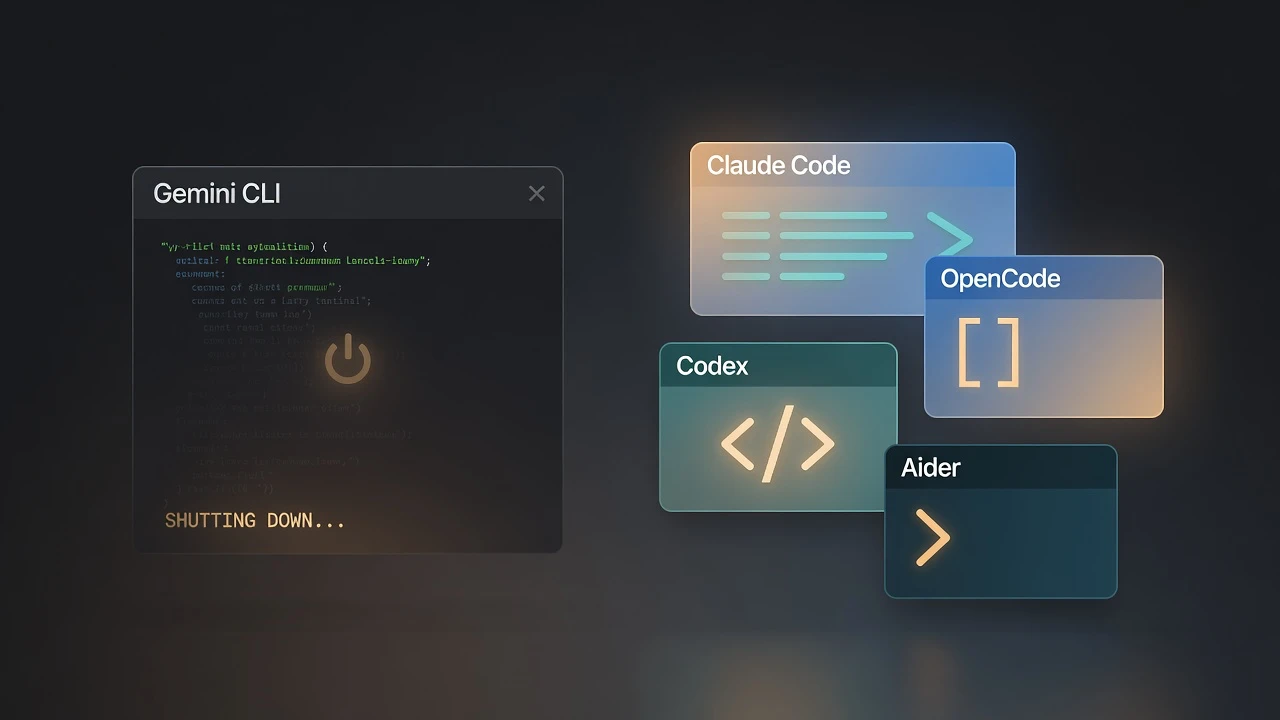
Gemini CLI’s consumer free tier is gone. As of June 18, 2026, Gemini CLI and the Gemini Code Assist IDE extensions stopped serving requests for free, Google AI Pro, and Google AI Ultra accounts. Google points everyone to the new Antigravity CLI — but for free users that’s a big downgrade, so weigh the full set of options before you migrate.
Here’s the short version. If you want a terminal agent with no subscription, go open source: OpenCode or Aider. If you want Google’s official path, that’s Antigravity (the IDE is more generous than the CLI right now). If you’ll pay for the most capable terminal agent, it’s a two-horse race between Claude Code and Codex (OpenAI’s).
The alternatives at a glance
| Tool | What it is | Cost | Best for |
|---|---|---|---|
| Antigravity CLI | Google’s official successor (binary agy), closed source | Free tier: small weekly quota, no published number; included in AI Pro/Ultra | Staying in Google’s ecosystem |
| Antigravity (IDE) | Agent-first VS Code fork, runs multiple agents | Free Individual plan; paid via Google AI Pro/Ultra | Agent-driven workflows in an editor |
| OpenCode | Open-source terminal agent, 75+ model providers | Free; bring your own API key | No subscription, model choice |
| Claude Code | Anthropic’s terminal agent, full-codebase aware | Claude Pro subscription (no free tier) | Top-tier paid terminal agent |
| Codex CLI | OpenAI’s terminal agent, open source (Rust) | Free CLI; ChatGPT plan or BYO API key | Top-tier OpenAI terminal agent |
| Aider | Open-source, git-native CLI pair programmer | Free; bring your own API key | Lean, git-first terminal workflow |
The best free Gemini CLI alternative
If the free tier was the reason you used Gemini CLI, the honest answer is that no hosted tool replaces it one-for-one. The closest thing is to go open source and bring your own API key: OpenCode if you want the most active project and the widest model choice, Aider if you want something leaner and git-native. Your only ceiling is your API budget, and a local model through Ollama takes even that to zero. Among Google’s own options there is one free allowance, not two: the Antigravity IDE and the Antigravity CLI share the Individual plan’s weekly quota, and the difference is how fast each burns it. The IDE, where you approve each step, stretches it further; the CLI’s autonomous agent can empty it in a couple of prompts.
Are the alternatives as capable as Gemini CLI?
If you’re leaving Gemini CLI, the fair question is whether you’re trading down. On raw terminal-agent ability, you’re not — the best alternatives score higher than Gemini CLI did. The relevant benchmark here is Terminal-Bench: an agent driving a real terminal, editing files, running commands, and fixing the failures it hits. Here’s where each tool in this piece sits on the Terminal-Bench 2.1 leaderboard; ranks are from the full board, which has more entries than we show.
| Rank | Agent | Model | Terminal-Bench 2.1 |
|---|---|---|---|
| 1 | Claude Code | Fable 5 | 83.8% |
| 2 | Codex CLI | GPT-5.5 | 83.1% |
| 5 | Claude Code | Opus 4.8 | 78.9% |
| 14 | Gemini CLI | Gemini 3.1 Pro | 65.8% |
The table shows the specific agent-plus-model pairings discussed here, as listed on August 25, 2026; the full leaderboard ranks more entries. And that pairing matters — a score belongs to an agent plus a model, not the tool alone. OpenCode and Aider are model-agnostic harnesses, so they don’t sit on the leaderboard as a single number — they’re only as strong as the model you connect, and they can run the same Claude or GPT models that top it. So “which is most capable” is really “which agent harness, running which model.” Claude Code and Codex CLI lead today, inside each other’s error margins; the open-source tools can get close by pointing at the same flagships.
What actually changed on June 18
Google announced the change at I/O on May 19, 2026, and pulled the plug a month later. The consumer version of Gemini Code Assist on GitHub was deprecated the same day and shut down on July 17.
Check this before you do anything: not everyone is affected. If you have a Code Assist Standard or Enterprise license managed through Google Cloud (or the enterprise version of Code Assist on GitHub), gemini-cli keeps working with no interruption. Google’s announcement also says API-key authentication remains unaffected — the thing that was switched off is the Login with Google path — so a bare Gemini API key is, on paper, the least disruptive option of all if you’re happy paying per token. The shutdown hit the consumer tiers — free, AI Pro, and AI Ultra. If that’s you, read on.
Antigravity CLI — the official successor, with a catch
Antigravity CLI is the named successor. It’s a Go-based binary called agy, and migrating is genuinely low-friction.
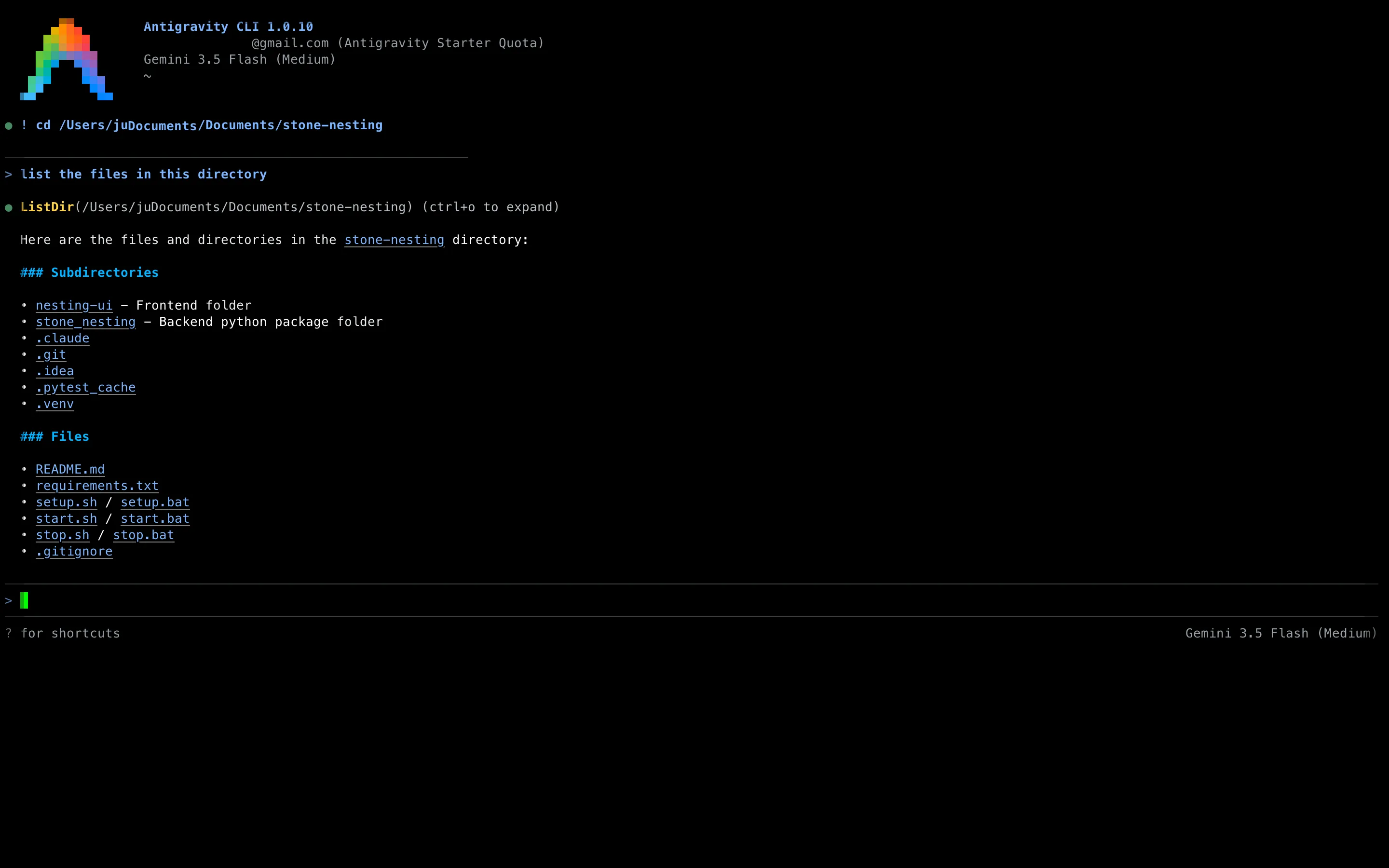
Install it with the native script:
curl -fsSL https://antigravity.google/cli/install.sh | bashThen import your old setup. The first time you run agy it detects your Gemini CLI config and offers an interactive migration; you can also do it manually with agy plugin import gemini. It’s non-destructive: your ~/.gemini/ directory stays intact, so you can roll back. It pulls over extensions, global config, session tokens, workspace rules, and MCP server definitions. (One gotcha: custom skills in .gemini/skills/ need to be moved to .agents/skills/ by hand.) Google’s migration guide covers the edge cases. If you want to stay inside Google’s tooling, this is the path of least resistance.
The catch is the free tier. Gemini CLI gave free users roughly 1,000 requests per day, reset daily. Google publishes no per-day figure for Antigravity’s free tier — its docs call the allowance “meaningful” and say it refreshes weekly — and developers in Google’s own transition thread describe it as unusably small — one reports that what used to be 5-8 hours of work before hitting the quota now burns through it in 10-20 minutes, followed by a week-long wait for the reset. It’s also closed source, where Gemini CLI was Apache 2.0. For paid AI Pro and Ultra users the quotas are more workable, but if the free allowance was the reason you used Gemini CLI, the successor probably won’t replace it.
Antigravity (the IDE) — Google’s flagship agentic platform
The CLI is the drop-in swap, but Antigravity (the IDE) is where Google is actually putting its weight. Google Antigravity is an agent-first IDE — a VS Code fork built around running autonomous agents rather than typing every line yourself. Its Manager surface is a dashboard for spawning and monitoring several agents at once (up to five in parallel), and each agent gets direct access to the editor, terminal, and browser, so it can plan a task, write the code, run it, and check its own work end to end.
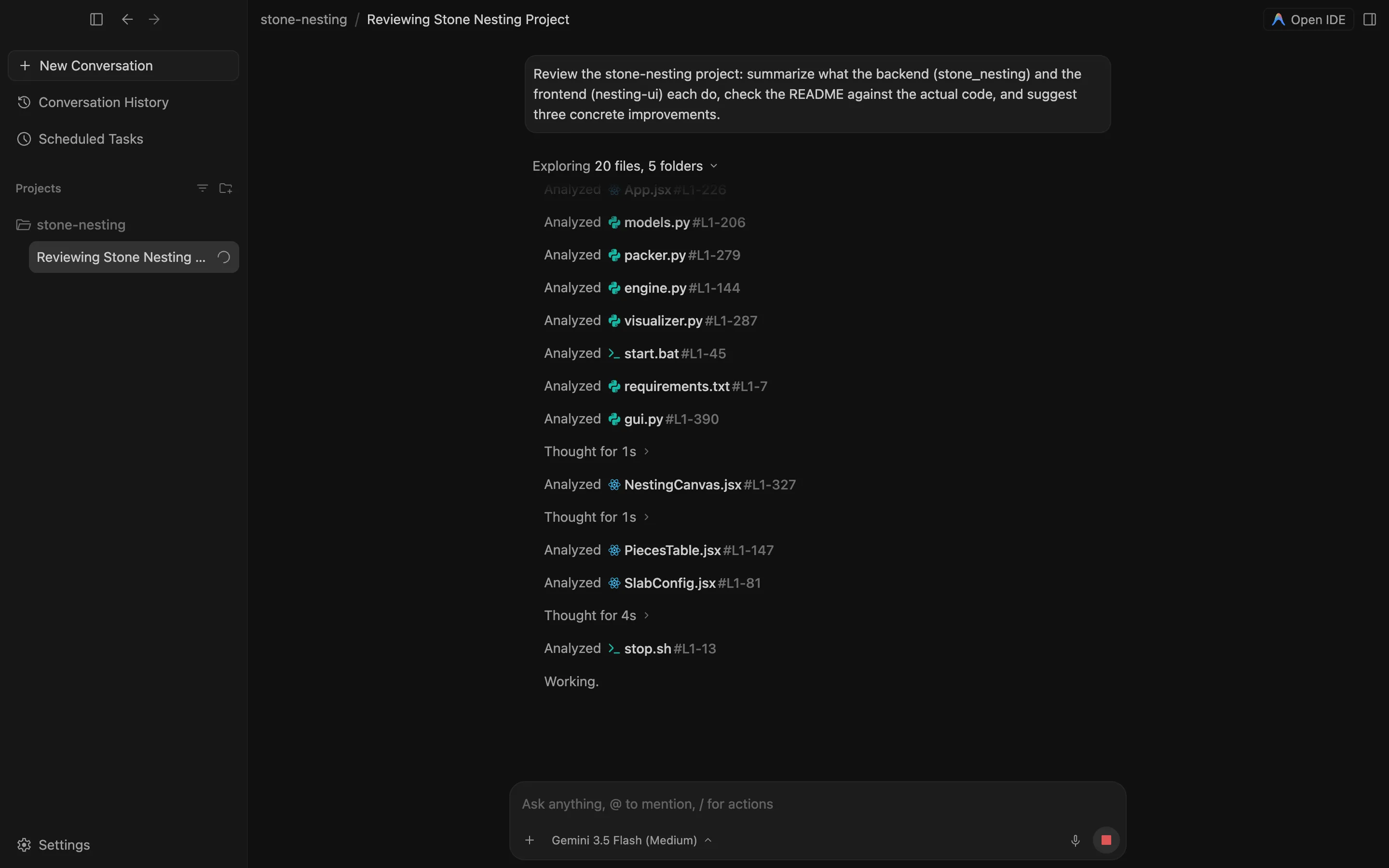
It’s not locked to Gemini, either. Antigravity runs Gemini 3.1 Pro and the faster Gemini 3.5 Flash, and its pricing page now lists Claude models on the free tier too, so you can point the same agent workflow at whichever model you trust for the job.
The pricing has settled since the shutdown. There’s a free Individual plan with a weekly-refreshing quota, and the paid path is a Google AI subscription rather than an Antigravity-specific bill — Pro moves you to a 5-hour refresh cycle, Ultra raises the ceiling again. Current verified figures from the Antigravity page in our pricing tracker:
One thing Google’s docs don’t spell out but its own plans page implies: the quota is per account, and the CLI is listed as a feature of the same plan rather than a product with its own allowance. Reports in Google’s CLI issue tracker fit that reading — a Pro subscriber hit “Individual quota reached” after two agy prompts. So the IDE isn’t a bigger free tier; it’s the same tier, spent more deliberately. That makes it the more usable free Google option if you’re open to leaving the terminal for an editor.
OpenCode — the open-source terminal pick
If “free and no subscription” is the whole point, OpenCode is the strongest match for what Gemini CLI’s free tier used to be. It’s an open-source (MIT), terminal-native agent that connects to 75+ model providers and stores everything locally. You bring your own API key, so your only ceiling is your API budget — there’s no per-tool monthly cap to hit.
It’s also the tool with the most momentum in this space: OpenCode passed 200,000 GitHub stars by August 2026 and the project reports use by millions of developers a month. Model-agnostic by design means you’re not locked to one vendor’s quota decisions. That’s exactly the failure mode that just stranded Gemini CLI users.
Install it in about a minute:
curl -fsSL https://opencode.ai/install | bashIt’s also on npm (npm i -g opencode-ai), Homebrew, and Docker.
There’s a no-key option too: a few free hosted models that run without an account, with data conditions attached. We put two of them on real bugs in September, and three of four runs passed the maintainer’s own tests.
Claude Code — the best paid terminal agent
If you’ll pay for quality and you want to stay in the terminal, Claude Code is the one to beat. It’s Anthropic’s agentic coding tool: it reads, writes, and runs code across your whole project, not just autocomplete in a file.
There’s no free tier for the agent itself. The entry point is a Claude Pro subscription, with Max plans for heavier use, or pay-per-token via the API:
Install is one line:
curl -fsSL https://claude.ai/install.sh | bash(The old npm install -g @anthropic-ai/claude-code route was deprecated in early 2026 in favor of this native installer.) For a direct sense of how it stacks up against an IDE-based assistant, see our Cursor vs Claude Code comparison.
Codex CLI — the other top-tier terminal agent
If Claude Code is one of the two strongest paid terminal agents, Codex CLI is the other. It’s OpenAI’s coding agent, open source under Apache 2.0 and built in Rust, and it does the same job Gemini CLI did: read your codebase, propose multi-file changes, and run commands in a sandbox from the terminal. On capability it’s right at the top: on GPT-5.5 it scores 83.1% on Terminal-Bench, a hair behind Claude Code, and OpenAI has since made the newer GPT-5.6 Sol its default model.
On cost it’s more flexible than Claude Code. The CLI itself is free software: you can authenticate with a ChatGPT plan (Codex is included from the Plus tier up — the Codex CLI page in our pricing tracker has the verified plan list) or bring your own OpenAI API key and pay per token, the same way you’d run Aider. There’s also a permanent Free tier on ChatGPT — thin for daily use, but enough to test it. Install with the native script or npm:
curl -fsSL https://chatgpt.com/codex/install.sh | sh
# or: npm i -g @openai/codex
If you’re weighing the two flagships, we put them head to head in Claude vs Codex.
Aider — lean and git-native
Aider is the minimalist’s choice. It’s a free, open-source command-line pair programmer that edits files in your local repo and auto-commits each change to git with a generated message. You bring your own API key and pay only for tokens — or run a local model through Ollama for no per-token cost at all.
It assumes you already know git and your stack and want maximum control, which makes it a clean swap for anyone who used Gemini CLI as a scriptable terminal tool rather than a hand-holding assistant. Install it with pip or Homebrew:
pip install aider-chat
# or: brew install aider
We cover it alongside other zero-cost options in our best free AI coding assistants roundup.
Which Gemini CLI replacement should you pick?
- You want the closest thing to the old free quota: OpenCode or Aider. Open source, no subscription, your API budget is the only limit.
- You want to stay with Google and don’t mind an editor: Antigravity (the IDE), on its free Individual plan.
- You’re a paid AI Pro/Ultra user who just wants the official swap: Antigravity CLI.
- You’ll pay for the most capable terminal agent: Claude Code or Codex CLI — the two strongest. Pick by ecosystem (Anthropic vs OpenAI/ChatGPT) and the model you trust more.
The broader lesson from the shutdown: a hosted free tier can disappear on a month’s notice. The open-source, bring-your-own-key tools are the ones that can’t be taken away the same way. That’s a real point in their favor now, not just a philosophical one.
For more head-to-head breakdowns, see our comparisons of the AI coding tools developers are actually choosing between.
Frequently asked questions
Why was Gemini CLI shut down?
Google retired the consumer tiers. On June 18, 2026, Gemini CLI and the Gemini Code Assist IDE extensions stopped serving requests for free, Google AI Pro, and Google AI Ultra accounts, pointing those users to the new Antigravity CLI. Paid Code Assist Standard and Enterprise licenses managed through Google Cloud are unaffected, as is the enterprise version of Code Assist on GitHub — and Google's announcement says API-key authentication is untouched too; what was removed is the Login with Google path.
Is Antigravity CLI a good replacement for Gemini CLI?
It's the official successor, but the free tier is much smaller. Where Gemini CLI gave free users roughly 1,000 requests a day that reset daily, Antigravity's free tier runs on a weekly compute window that Google calls 'meaningful' without publishing a number, and developers on the transition thread describe burning it in minutes — so if you exhaust it Monday, you wait until the next Monday. That allowance is per account, not per tool: the CLI and the Antigravity IDE draw from the same pool, and the CLI's autonomous agent tends to drain it faster. It's also closed source. If you relied on the old free allowance, it's worth trying OpenCode or Aider before settling.
What is the best free Gemini CLI alternative?
For a no-subscription terminal agent, OpenCode and Aider are the strongest free picks. Both are open source, run in your terminal, and let you connect your own API key (or a local model), so there's no monthly cap — you pay only for the tokens you use. OpenCode supports 75+ providers out of the box; Aider is the leaner, git-native option.
Does any alternative keep the same daily free quota Gemini CLI had?
Not on a single hosted free tier. The closest in spirit is going open source with OpenCode or Aider and bringing your own key — your only limit is your API budget — or running a local model through Ollama for zero per-token cost. Antigravity's free Individual plan has a weekly-refreshing quota Google calls 'meaningful' but doesn't put a number on, shared between the IDE and the CLI — and in the IDE, where you approve each step, it tends to last longer than under the CLI's autonomous agent.
Which Gemini CLI alternative is the most capable?
On Terminal-Bench 2.1 — the benchmark for agents driving a real terminal — Claude Code (with Fable 5) leads at 83.8% and Codex CLI (with GPT-5.5) is right behind at 83.1%, both well ahead of Gemini CLI's 65.8% on Gemini 3.1 Pro. So you're not trading down on ability. OpenCode and Aider are model-agnostic, so they're as capable as the model you connect — point them at the same flagships and they close most of the gap.