
Last updated on
Aider vs Cursor: terminal AI coding vs the AI editor
The real question in 2026 isn’t which tool writes better code. It’s: how much control do you want over what the AI does?
Aider and Cursor give opposite answers to that question. Aider shows you every diff, commits every change, and lets you pick which model runs which task. Cursor indexes your repo automatically, handles context for you, and delegates more of the process to the agent. Both are genuinely useful. They’re just built for different working styles.
| Aider | Cursor | |
|---|---|---|
| Pricing | No subscription; pay per token (~$10–50/mo typical) | Pro subscription; credit-based billing + unlimited on Auto |
| Editor | Terminal; any editor (Vim, Emacs, JetBrains, SSH) | VS Code fork |
| Model support | OpenAI, Anthropic, Gemini, DeepSeek, OpenRouter, Ollama, local | Frontier models + Auto routing |
| Codebase context | Manual Repo Map (plus /context helper) | Automatic repo indexing |
| Agents | One terminal session | Multiple parallel agents; cloud↔local handoff |
| Git | Auto-commits every change | Inline diff review in Composer |
| Open source / local | Yes; runs air-gapped | No (proprietary) |
What Aider actually is
Aider is an open-source CLI tool — pip install aider-chat, point it at your repo, give it a task. The workflow is explicit: you select which files are in context, describe what you want, review the generated diff, and Aider commits the result to git. Every change is a commit. The entire session is in your project history.
The model support is wider than Cursor’s: OpenAI, Anthropic (Claude Sonnet 5, Opus 4.8), Google Gemini, DeepSeek, OpenRouter, Ollama, and local models. You pick per-session or per-task. If a specific model is better at a specific kind of task, you can use it without switching tools.
Aider’s approach to codebase context uses what it calls a Repo Map — a structured summary of your project’s files, classes, and functions that it builds from the directory. You control what goes in. That’s more work than Cursor’s automatic indexing, but it also means you understand exactly what the model is working with. If the manual file-picking sounds tedious, the /context command closes some of that gap: it auto-identifies which files a request is likely to touch, so you’re confirming a suggestion rather than building the set from scratch.
The feature that has no Cursor equivalent is Architect/Editor mode. You pair two models for one task: a strong reasoning model (say o3-pro or gemini-2.5-pro) plans the change as the “architect,” and a cheaper, faster model (claude-sonnet-5) writes the actual edits as the “editor.” Aider’s own benchmarks show this pairing scoring higher than either model alone on its code-editing eval, and it keeps the bill down — you only pay frontier-model rates for the planning step. For a big refactor where design quality matters but most of the work is mechanical, it’s a smarter way to spend your token budget.
API costs run roughly $10–50/month for typical developer use on Claude Sonnet 5. Heavy agentic runs or Opus 4.8 usage costs more. There’s no base subscription — you pay per token, directly to the model provider.
What Cursor actually is
Cursor is a VS Code fork with AI integrated at the editor architecture level. The key features for this comparison: Composer (multi-file diffs from a single prompt), Agent mode (local agentic loops in your workspace), and Background Agents (async agents on Cursor’s servers that surface PRs when done). It also supports MCP (Model Context Protocol) for connecting external tools and data sources.
The Cursor 3 update pushed the agent story further than a single background task. You can now run several agents at once from one sidebar, started from the desktop app, the web, mobile, Slack, GitHub, or Linear, and hand a session off between cloud and local mid-task — kick something off in the cloud, pull it down to your machine to iterate, push it back up to keep running while you close the laptop. None of that has an Aider counterpart; Aider is one session in one terminal by design.
Cursor indexes your repository on open. When you describe a task, it searches the codebase to find affected files without you having to specify them. For large projects where the relevant files aren’t obvious, that automatic context is a real time-saver. The tradeoff is opacity. You’re trusting Cursor’s indexing rather than explicitly managing context.
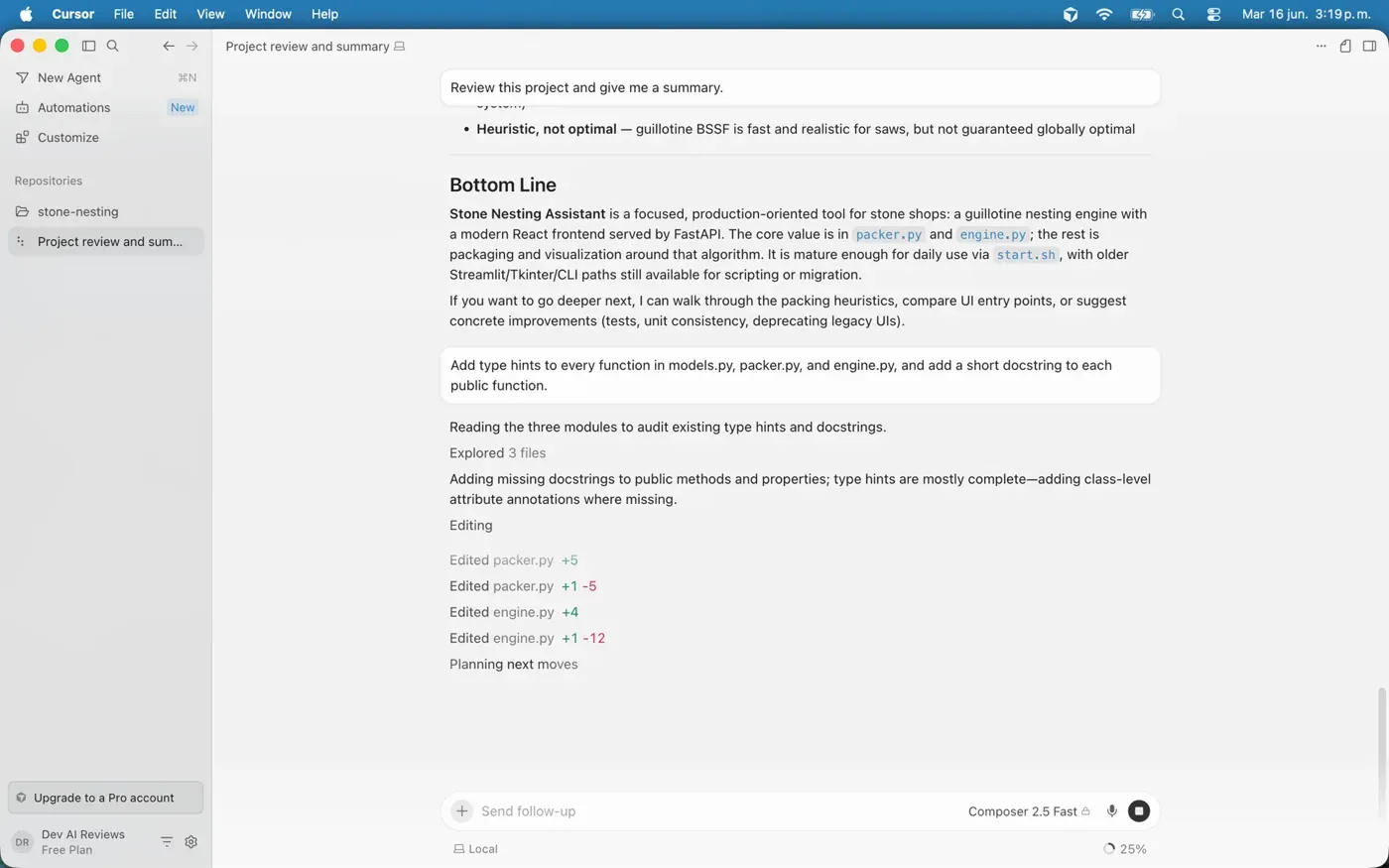
A note on how we approached this comparison: we use Cursor hands-on (the screenshot above is Composer editing several files at once in one of our own projects), so the Cursor half comes from real use. The Aider half is assessed from its design, documentation, and open-source behavior rather than a head-to-head we ran — we’d rather flag that than pretend we benchmarked both side by side.
Cursor Pro’s subscription includes roughly the plan price’s worth of third-party frontier-model usage credits, plus a separate included pool for Cursor’s own models and unlimited Tab completions — Cursor moved off the old fixed “fast requests” model to credit-based billing in 2025, and its Auto model-routing setting now bills per token too. For steady all-day use the predictable base can beat metered API costs; for lighter use, Aider comes out ahead.
The core difference: control vs delegation
Aider makes you an active participant in every step. You see the diff before it’s applied. You decide which files are in context. The git history is yours. If something goes wrong, the rollback is a git revert.
Cursor delegates more. You describe a goal, the agent decides what files to touch, what commands to run, how to structure the changes. The inline diff review in Composer gives you a chance to catch errors before applying, but you’re reviewing the agent’s work rather than building it step by step.
Neither approach is wrong. For developers who want to understand every change in a critical codebase, Aider’s transparency is the point. For developers who want to hand off a task and come back to a result, Cursor’s delegation is the point.
Where each one wins
Aider is stronger for:
- Refactors where you want explicit control over what changes
- Any workflow that isn’t VS Code — Vim, Emacs, JetBrains, remote SSH sessions
- Cost control: test different models, use local models via Ollama, pay per token
- Git-intensive workflows where automatic commits and clean history matter
- Air-gapped or security-sensitive environments where open-source tooling is required
Cursor is stronger for:
- Day-to-day product development where you want to stay in one tool
- Projects where automatic codebase context saves significant setup time
- Running multiple parallel agents and handing tasks between cloud and local, which Aider has no equivalent for
- Event-driven work: Automations can trigger agents off GitHub or Slack events (PR comments, issue updates) with no terminal open
- A built-in review pass: Bugbot’s
/reviewchecks a diff before you push - Teams onboarding to AI-assisted development (lower learning curve)
- Tasks that benefit from the Composer diff-review workflow
The combination most developers land on
Many teams end up using both. Cursor handles the daily IDE work — completions, chat, small Composer tasks, quick agent runs. Aider handles the work that benefits from explicit control: large refactors, critical changes that need clean git history, tasks on remote machines, or sessions where you want to compare two models on the same task without switching tools.
They don’t compete for the same slot. Aider runs in a terminal alongside whatever editor you have open. Adding it to a Cursor-based workflow costs nothing extra beyond API usage.
Where to start
If you haven’t tried either: start with Aider. There’s no subscription cost, setup takes a few minutes, and using it on a real codebase for a week tells you whether the terminal-native, git-first approach fits how you think. If you find yourself wanting automatic context and a richer diff review UI, that’s when Cursor justifies the switch.
If you’re already in Cursor and wondering about Aider: install it and try it on one refactor. The comparison becomes immediately concrete.
See also: Cursor review · Cursor vs Claude Code · AI coding assistants guide · Comparisons
Frequently asked questions
What's the main difference between Aider and Cursor?
Control versus delegation. Aider is an open-source CLI tool that shows you every diff, commits each change to git, and lets you pick which model runs each task — you manage the context. Cursor is a VS Code fork that indexes your repo automatically and delegates more of the process to the agent. Both are useful; they're built for different working styles.
Is Aider cheaper than Cursor?
It depends on usage. Aider has no subscription — you pay per token directly to the model provider, roughly $10–50/month for typical use on Claude Sonnet 5. Cursor Pro is $20/month, which includes about the plan price's worth of frontier-model usage credits plus unlimited usage on its Auto model-routing setting (Cursor moved off fixed request counts to credit-based billing in 2025). For steady all-day use the predictable base can beat metered API costs; for lighter use, Aider comes out ahead.
Should I start with Aider or Cursor?
If you haven't tried either, start with Aider — there's no subscription, setup takes a few minutes, and a week on a real codebase tells you whether the terminal-native, git-first approach fits how you think. If you find yourself wanting automatic context and a richer diff-review UI, that's when Cursor justifies the switch.
Can I use both Aider and Cursor together?
Yes, and many developers do. They don't compete for the same slot: Cursor handles daily IDE work while Aider handles tasks that benefit from explicit control — large refactors, changes that need clean git history, or remote-machine work. Aider runs in a terminal alongside whatever editor you have open, costing nothing extra beyond API usage.