Last updated on
Cursor vs Claude Code: which agentic coding tool wins in 2026?
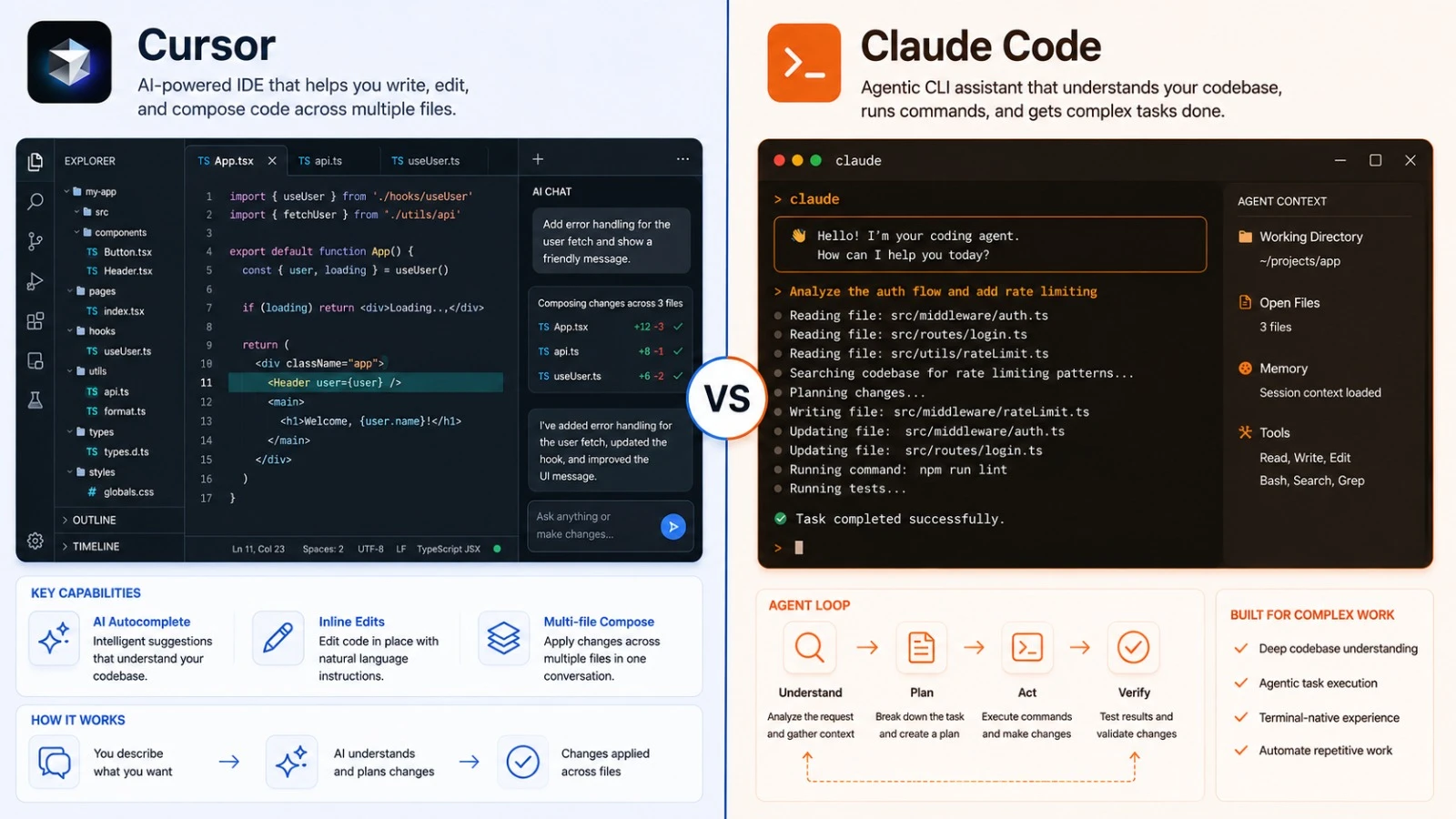
Cursor and Claude Code are both “agentic” tools — they don’t just complete lines, they write code, run commands, read output, and iterate. But they’re designed for different working styles: Cursor is a full editor you live in, Claude Code is a tool you drop into the terminal or a VS Code panel.
Which one belongs in your workflow depends less on capability and more on where you spend your time.
What each tool is
Cursor is a VS Code fork. You do everything inside it — browse files, write code, run the terminal, review diffs. AI features (Composer, Agent mode, Background Agents) are built into the editor itself, not added on.
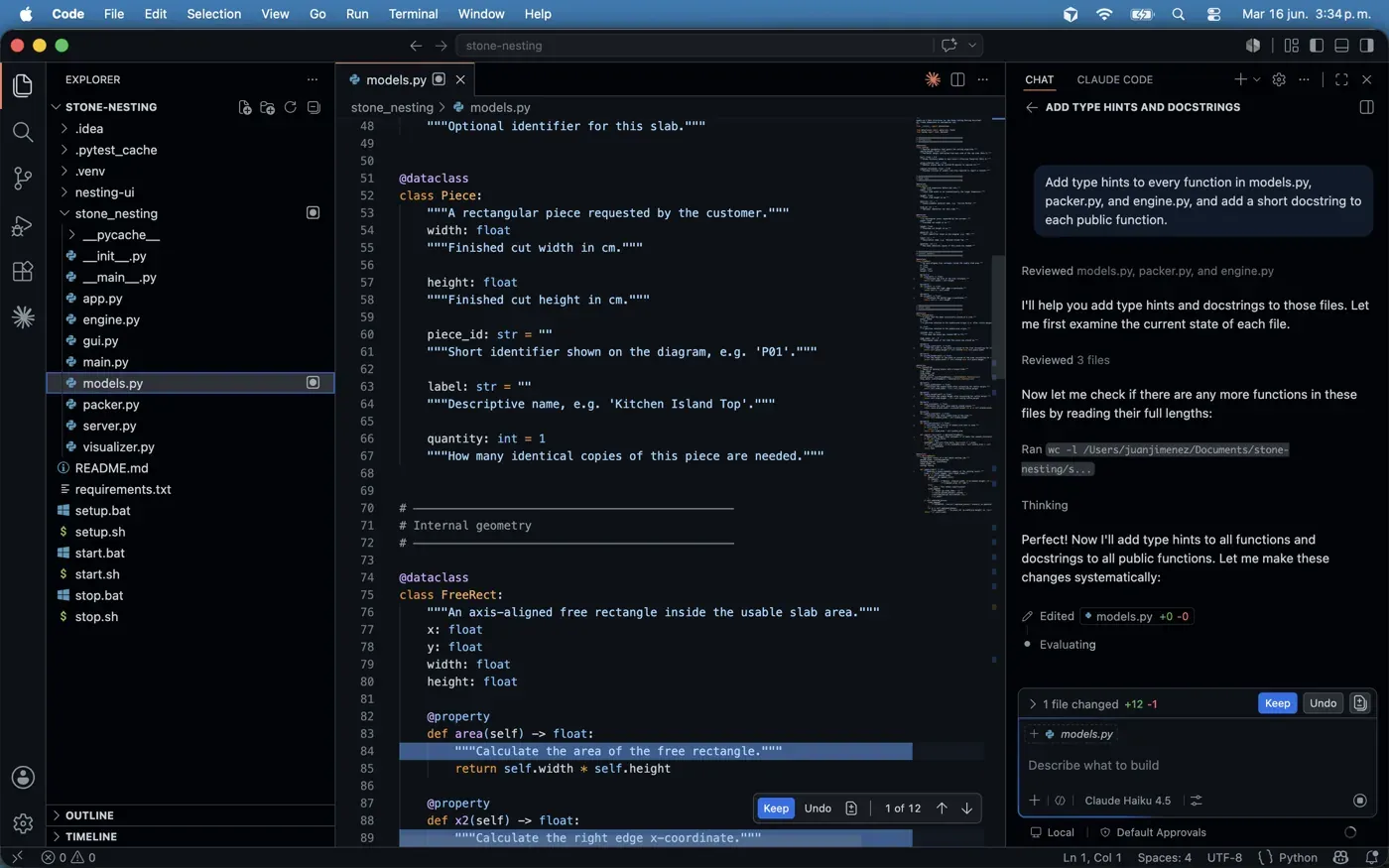
Claude Code is Anthropic’s agentic coding tool. It started as a command-line tool you run in any terminal, against any codebase, and that’s still its core. It now also ships a VS Code integration — a side panel inside the editor — so you can use it without leaving your IDE if you prefer. Either way it connects to Claude models directly, reads your files, runs commands, and operates the same regardless of which editor you have open.
Cursor owns your whole editor experience. Claude Code slots into the one you already have — terminal or VS Code panel.
Agent mode
Both tools can operate agentic loops — read the codebase, make changes, run tests, fix failures, repeat.
Cursor’s agent runs locally in the editor’s integrated terminal. The tight editor integration means it can show diffs inline, let you accept or reject changes file-by-file, and immediately reflect changes in the editor’s file tree. For tasks that involve reviewing what the agent changed, the visual workflow is faster.
Claude Code’s agent runs in whatever terminal you’re already using. It shows the steps it’s taking as text output, runs actual shell commands, edits files, and loops until done or until it hits a guardrail. There’s no diff review UI — you see the output, then check the results in your normal workflow. For developers who already live in the terminal and don’t want another editor in the way, that directness is a feature.
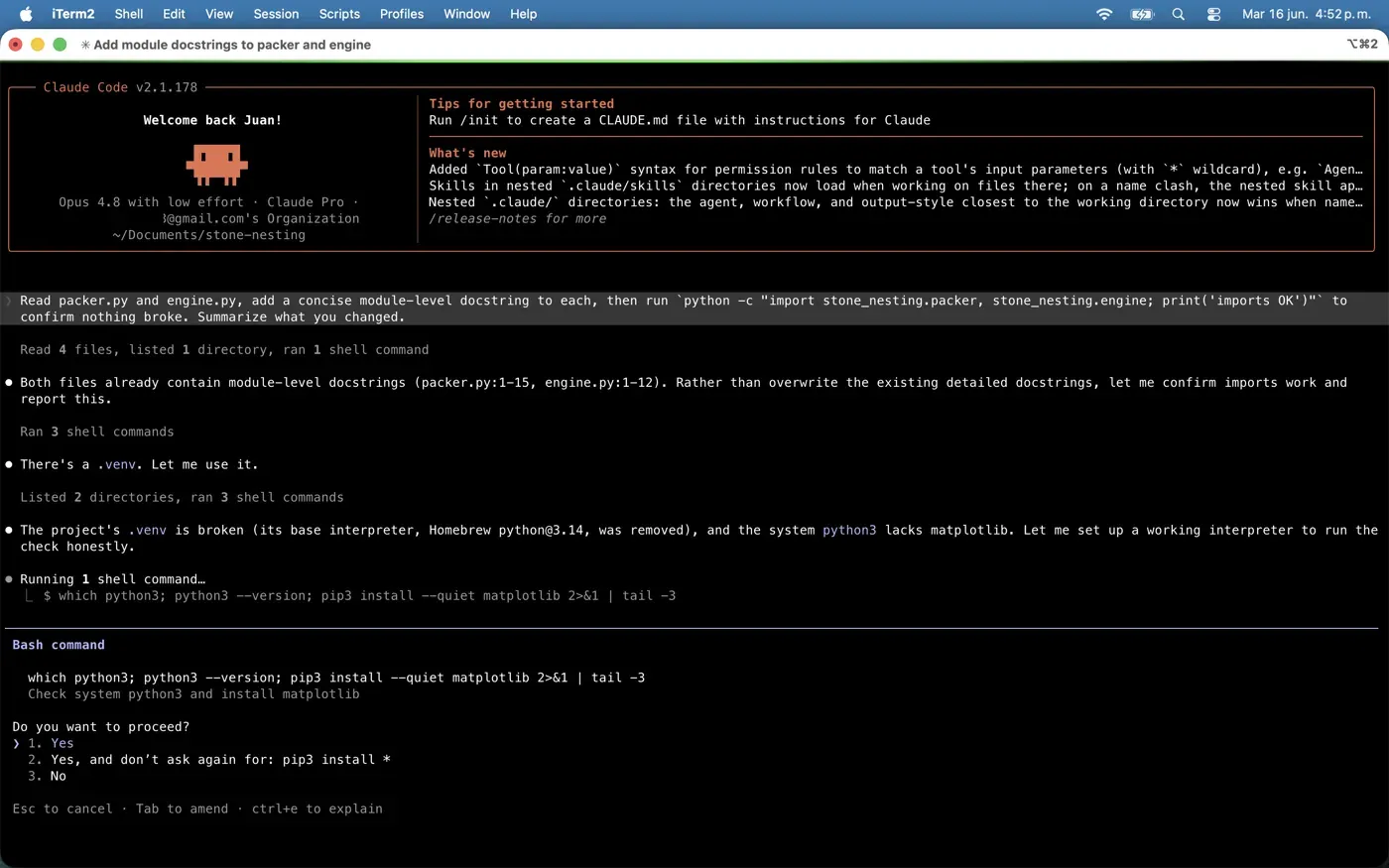
We ran a small task through Claude Code in the terminal on Opus 4.8 — read two modules, add docstrings, and run an import check to confirm nothing broke. What’s worth noting is the honesty of the loop: it found the existing docstrings were already detailed and chose not to overwrite them, then discovered the project’s virtualenv was broken and stopped to ask permission before installing anything. That “explain the step, ask before acting” behavior is the terminal workflow’s strength — you see exactly what it’s about to do.
Cursor’s Background Agents run async on Cursor’s servers, can work multiple tasks in parallel, and surface a PR when done. Claude Code now has a comparable async mode too: Claude Code on the web (claude.ai/code, currently a research preview) runs GitHub-connected agents in Anthropic-managed sandboxes and opens PRs when they finish. So this is no longer a clean win for Cursor — the difference is more about where each one is maturest: Cursor’s background agents are a settled part of the editor, while Claude Code’s web agents are newer and still in preview.
Terminal and workflow integration
Claude Code has a meaningful edge here. Because it’s a CLI tool, it integrates with whatever is already in your workflow:
- Run it inside tmux, inside Neovim, inside any editor’s integrated terminal
- Script it, pipe its output, combine it with other CLI tools
- Use it on remote machines over SSH without installing an editor
Cursor’s terminal is the VS Code terminal — fine for most tasks, but you’re inside Cursor’s environment. If you use Vim, Emacs, or work heavily in SSH sessions, Cursor requires you to change more about how you work.
Models
Both tools use frontier models. Claude Code runs on Claude models directly — Sonnet 5 for fast tasks, Opus 4.8 for heavier work. Cursor routes to multiple providers: Claude Sonnet 5 and Opus 4.8, GPT-4o, o1, and Gemini 2.5 Pro. You can switch per-request in Cursor.
If you want model flexibility — trying GPT-4o on the same task as Claude — Cursor is more flexible. If you want the best Claude models without routing, Claude Code is a direct line.
Pricing
Claude Code is included in a Claude Pro subscription, the same plan that gives you Claude on the web (claude.ai) and the desktop apps. (The API is billed separately, pay-as-you-go — a Pro plan doesn’t include API credits.) If you’re already paying for Claude Pro, Claude Code costs you nothing extra. Heavy users move up to Claude Max (5× or 20× usage) to avoid hitting the Pro limits — our pricing tracker keeps the full plan lists for both tools verified, with price history.
Cursor Pro is a separate subscription at the same monthly price as Claude Pro — useful if you want the full editor experience on top.
The case for Cursor
- You want a full-featured AI editor with diff review, inline suggestions, and file tree integration
- Multi-file refactors are a regular part of your workflow — Composer is genuinely faster for this
- Background Agents for async parallel tasks are useful to you
- You want model flexibility per-request
The case for Claude Code
- You already have a terminal workflow and don’t want to change editors
- You use Vim, Emacs, or a non-VS Code editor
- You’re already on Claude Pro and want agentic capabilities without another subscription
- You work on remote machines or in containerized environments
- You prefer direct output over UI-heavy diff review
Honest overlap
We run Claude Code daily on a Claude Pro subscription, which is the lens this comparison is written from: it’s the agentic tool we keep open, and the fact that it’s bundled into a Claude Pro plan we already pay for is a real part of why. That’s worth saying plainly — your own default tool shapes how you read a head-to-head.
For developers in VS Code doing standard agentic tasks — “fix this bug,” “add tests for this module,” “refactor this function” — both tools produce similar results. The quality of the underlying model matters more than the wrapper.
Cursor wins on editor integration and the multi-file review experience. Claude Code wins on portability, terminal-native workflow, and cost if you’re already paying for Claude Pro.
Cursor’s Background Agents used to be a clean edge here, but Claude Code on the web (still a research preview) now runs async cloud agents that open PRs too — so the gap is narrower than it was. Cursor’s version is the more mature of the two today. If async parallel agents are a workflow you’d actually use, that maturity may justify the separate subscription; if not, Claude Code does most of the same agentic work without adding another tool to your stack.
See also: Cline vs Cursor · Aider vs Cursor · Best AI IDE in 2026 · More head-to-heads
Frequently asked questions
What's the difference between Cursor and Claude Code?
Cursor is a full editor — a VS Code fork you live in, with AI built into the editor itself. Claude Code is a tool you drop into your existing workflow: it started as a command-line tool you run in any terminal against any codebase, and now also ships a VS Code side panel. Cursor owns your whole editor; Claude Code slots into the one you already use.
Is Claude Code cheaper than Cursor?
If you're already on Claude Pro, yes — Claude Code is included in the same $20/month plan that gives you Claude on the web and desktop, so it costs nothing extra (API usage is billed separately). Cursor Pro is a separate subscription at the same price. Heavy Claude Code users move up to Claude Max for 5×-20× usage; the pricing snapshots in this comparison and our pricing tracker carry the verified current figures.
Which is better for terminal or Vim users?
Claude Code. Because it's a CLI tool, it runs inside tmux, Neovim, any editor's integrated terminal, or over SSH on remote machines — and you can script and pipe its output. Cursor ties you to the VS Code environment, so Vim/Emacs and heavy SSH users have to change more about how they work.
Do Cursor and Claude Code have background agents?
Both do now. Cursor's Background Agents run async on Cursor's servers, work multiple tasks in parallel, and open a PR when done. Claude Code added a comparable mode with Claude Code on the web (claude.ai/code, a research preview), which runs GitHub-connected agents in Anthropic-managed sandboxes and opens PRs. Cursor's version is the more settled of the two; Claude Code's is newer and still in preview.