Cline vs Cursor: which AI coding tool fits in 2026?
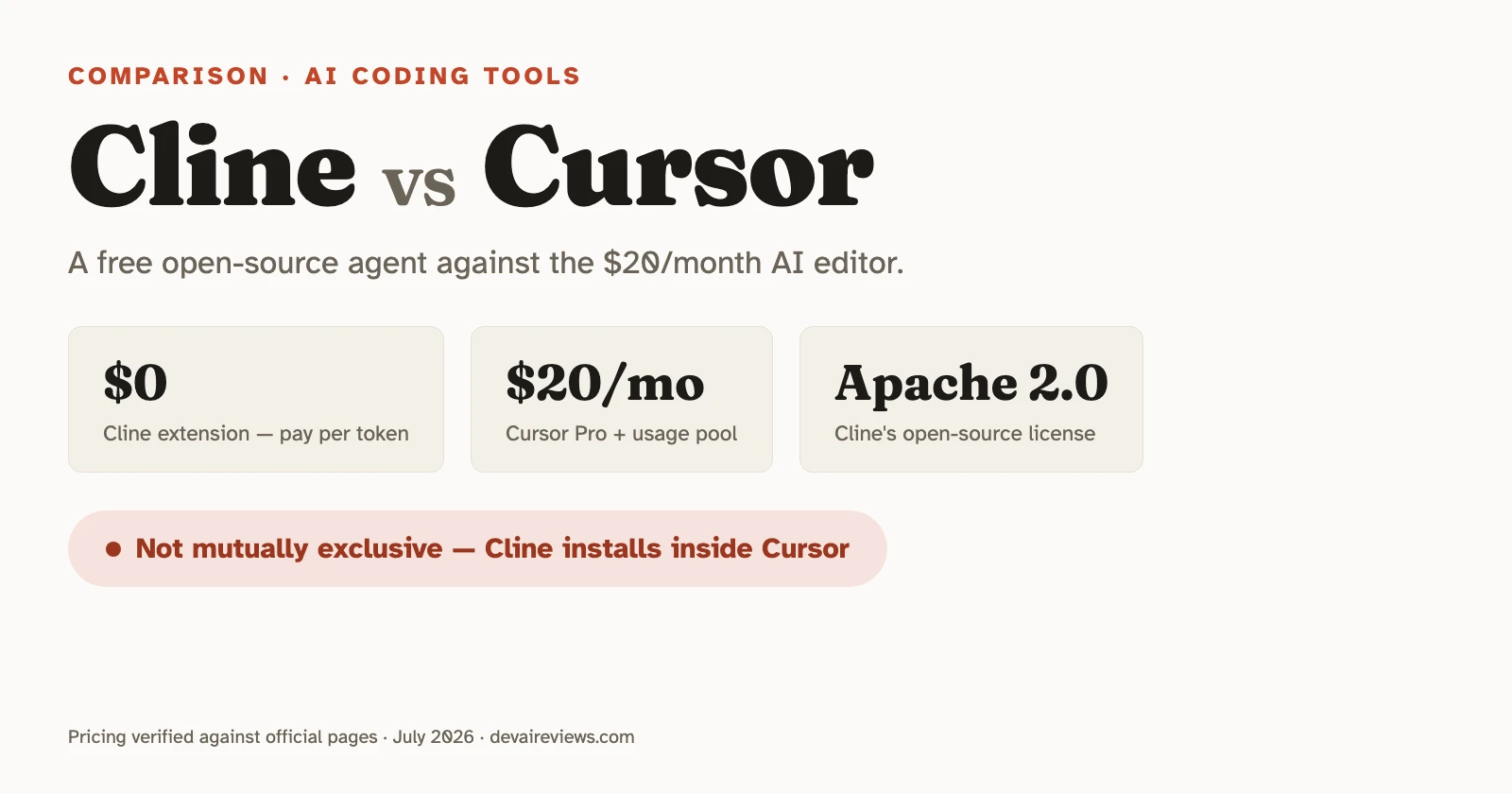
Cline and Cursor answer the same question — “how do I get an AI agent working in my codebase?” — with opposite business models. Cursor is a proprietary editor, a VS Code fork you pay $20/month for, with AI woven into every surface. Cline is a free, Apache 2.0 open-source extension that installs into the editor you already have, and the only bill you pay is your model provider’s token bill.
That one difference, subscription versus bring-your-own-tokens, explains most of what people argue about when they compare these two. Here’s where each is genuinely ahead, with pricing verified against both vendors’ official pages.
TL;DR
- Cline is a free, open-source VS Code (and CLI) coding agent. You pay only for inference: bring your own API key, or buy credits through Cline at cost.
- Cursor is a $20/month AI editor. Tab completions are unlimited; agent work bills per token against usage pools — one for Cursor’s own models, one for third-party frontier models.
- Cursor is ahead on ergonomics: Tab completion, inline edits, and Cloud Agents you can trigger from Slack or your phone.
- Cline is ahead on control: a plan-first workflow, any model provider (including local), visible context usage, and per-action permission settings.
- They aren’t mutually exclusive — Cline installs inside Cursor, and some developers run exactly that combination.
What’s the actual difference between Cline and Cursor?
The short answer: Cursor replaces your editor, Cline extends it. Cursor is a standalone IDE (a VS Code fork by Anysphere) with proprietary AI features built in. Cline is an open-source agent that lives in your existing VS Code — or any VS Code fork — and delegates all intelligence to whichever model API you point it at.
| Cline | Cursor | |
|---|---|---|
| What it is | VS Code extension + CLI (JetBrains on Enterprise) | Standalone editor (VS Code fork) |
| License | Apache 2.0, open source | Proprietary |
| Pricing model | Free extension; pay per token (BYO key or at-cost credits) | Free Hobby tier, then $20–$200/mo subscription + usage pools |
| Tab completion | None | Yes, proprietary model, unlimited on paid plans |
| Model choice | Any provider, including local (Ollama, LM Studio) | Curated list: OpenAI, Anthropic, Google, SpaceXAI — plus Cursor’s own Composer 2.5 and Grok 4.5 |
| Planning workflow | Explicit Plan / Act modes | Agent executes directly |
| MCP servers | Built-in marketplace, one-click install | One-click install from the Cursor Marketplace, or custom servers via mcp.json |
| Remote / cloud agents | No — runs where your editor or terminal runs | Yes — Cloud Agents, triggered from Slack, GitHub, or mobile |
One honesty note before the details: we haven’t run a timed head-to-head of these two ourselves — our daily agentic driver is Claude Code. This comparison is built from both tools’ official docs and pricing pages (feature claims checked against them on July 28, 2026), our own pricing tracker verification, and community reports that are consistent enough to trust, flagged as such where we use them.
How much do Cline and Cursor cost?
Cline costs nothing for the tool and whatever your model provider charges for tokens. Cursor has a free Hobby tier, then $20/month for Pro, with usage metered on top. The verified numbers:
Cline’s model is unusual enough to spell out: there is no subscription. The extension is free, and inference is billed either by your own provider (Anthropic, OpenAI, Google, OpenRouter, AWS Bedrock, even a local model through Ollama) or through Cline’s own option, which sells tokens at cost with no markup. Your monthly spend scales exactly with how much agent work you do and which model you route it through. Light users pay nearly nothing. Heavy users pay real money: a widely-cited February 2025 community thread on this exact matchup — worth reading, though it predates Cursor’s mid-2025 pricing overhaul — includes a developer who burned Cursor’s entire monthly price in one evening of Cline tokens and considered it worth it.
Cursor’s $20 Pro plan is not the flat rate it looks like. Since the June 2025 pricing change — the one Cursor later publicly apologized for rolling out badly — the plan bundles unlimited Tab completions, a generous included pool for Cursor’s own models (Composer 2.5 and Grok 4.5), and $20/month of third-party model usage Cursor calls the “Other Models” pool. Auto, Cursor’s model router, is metered too: its cost-saver setting bills a flat rate per million tokens, and its smarter settings bill at the chosen model’s API rate. Hand-pick a third-party frontier model for agent work and the Other Models pool drains at that model’s API rate. Cursor’s own docs put typical daily agent users at $60–$100/month in total usage, which is what the higher tiers in the snapshot above are sized for.
So the honest cost comparison isn’t “free vs $20.” It’s: Cline hands you the raw token bill with full visibility and no markup; Cursor bundles unlimited Tab and cheaper first-party models, then charges API rates once you insist on choosing the model. If most of your AI use is autocomplete and quick edits, Cursor’s bundle is the better deal. If most of it is long agentic sessions on a specific frontier model, you’re paying API rates either way — Cline just shows you the meter.
Where Cursor is ahead
Cursor wins on everyday ergonomics, and it’s not close. Its Tab completion — predictive, multi-line, trained in-house — has no Cline equivalent at all, and it’s the feature you touch hundreds of times a day. Same for inline editing: select code, hit Cmd+K, describe the change, done, without a chat panel involved. Cline can edit any file through its agent loop, but there’s no way to make a two-second inline tweak.
Cursor also runs Cloud Agents — the feature it used to call background agents — on its own infrastructure: kick off a task from Slack, GitHub, or your phone, and review the result as a PR later. Cline has no hosted equivalent; it runs where your editor or terminal runs.
If you want one polished product where the AI is simply there — completing, editing, running agents — without thinking about API keys or model routing, that’s Cursor’s pitch, and it delivers on it.
Where Cline is ahead
Cline wins on control and transparency. Its Plan / Act split is the clearest expression of that: in Plan mode the agent proposes an approach and asks questions; only when you switch to Act does it start editing files and running commands. For multi-step work on a real codebase, reviewing the plan before any file changes is a better default than watching an agent sprint off in the wrong direction.
The transparency runs deeper than workflow. Cline is open source, so its system prompt and behavior are inspectable rather than a black box. It surfaces context-window usage as you work. And its auto-approve settings are granular: you decide separately whether it may read files, edit them, run terminal commands, or drive a browser.
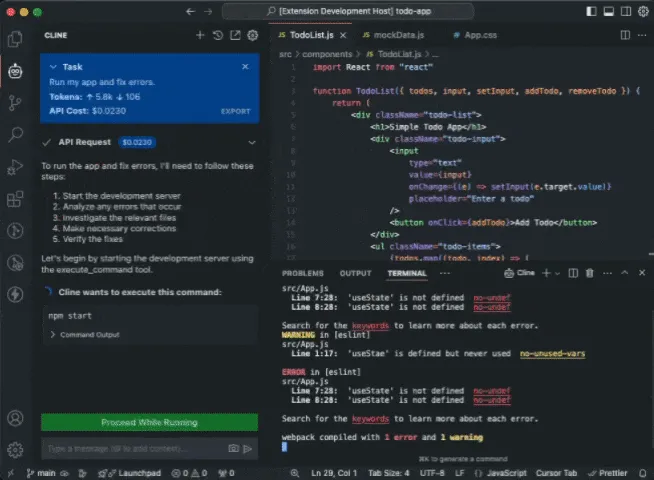
The control loop in one screen — Cline stops for approval before running a command, and the panel shows the running token and dollar cost of the session. Frame from Cline’s official demo (Apache 2.0). Its MCP marketplace makes extending the agent a one-click affair — though Cursor closed that gap with one-click installs from its own marketplace, so treat MCP setup as near-parity rather than a Cline win.
Model freedom is where the gap is still real: Cline talks to any provider, including local models, at whatever price that provider charges. Cursor’s curated list covers the majors and accepts your own keys for the providers it supports, but it won’t route to a self-hosted model or a provider outside that list.
Can you use Cline inside Cursor?
Yes — and it’s less weird than it sounds. Cursor is a VS Code fork, so Cline installs into it like any extension. Developers who run this combination use Cursor’s Tab and inline edits for the everyday typing loop, and open Cline when they want a planned, transparent agent session on a model they chose. You pay Cursor’s subscription for the ergonomics and your token bill for the agent work, which is only worth it if you’d actually use both. But it makes the “versus” framing less absolute than most comparisons admit.
Which one should you pick?
Pick Cursor if autocomplete and fast in-editor edits are the bulk of your AI use, you want zero setup, and a mostly predictable monthly bill matters more than model freedom. It’s the more polished product, and for everyday coding speed it’s the stronger tool.
Pick Cline if you’re comfortable holding an API key, you want to see and control exactly what the agent does and spends, you need a model Cursor doesn’t offer (including local), or open source is a requirement — for licensing, auditability, or principle.
If you’re still weighing the whole category, our best AI IDE comparison covers where these two sit among the agentic editors, Aider vs Cursor walks the same open-source-versus-subscription tradeoff from the terminal side, and the free AI coding assistants roundup is the place to start if the budget is zero. More head-to-heads live in our comparisons section. Prices in this space shift often enough that we keep both tools’ plans under watch in the pricing tracker — check the verified date there before you commit either way.
Frequently asked questions
Is Cline really free?
The extension is free — it's Apache 2.0 open source with no subscription or seat fee. What you pay for is model inference: bring your own API key from a provider like Anthropic, OpenAI, or Google, or buy inference credits through Cline at cost. Heavy agentic use against a frontier model costs real money either way; Cline just doesn't add a subscription on top.
Can I use Cline inside Cursor?
Yes. Cursor is a VS Code fork, so Cline installs into it like any VS Code extension. Some developers run both in the same editor: Cursor's Tab completion for everyday typing, Cline for autonomous multi-step tasks where they want to pick the model and watch the token spend.
Which is cheaper, Cline or Cursor?
For light use, Cline — the extension costs nothing and a few API calls cost cents. For heavy daily agent work it flips into 'it depends': Cursor's own docs estimate daily agent users at $60–$100 per month in total usage, and Cline users routing everything through a frontier model can pass that. Cline gives you the raw token bill with no markup; Cursor gives you a subscription plus metered usage pools on top.
Does Cline have tab completion?
No. Cline is a chat-and-agent tool — it plans, edits files, and runs commands, but it doesn't offer predictive inline completions as you type. Cursor's Tab feature runs on a proprietary model Anysphere trained, which is exactly the kind of thing an open-source extension can't bundle for free.