
Last updated on
Best AI IDE in 2026: 7 agentic IDEs compared, hands-on
There is no single “best AI IDE” in 2026 because the right answer depends on something the benchmarks don’t measure: how you actually work. Nearly every serious option is now an agentic IDE — an editor whose AI can plan and execute multi-file tasks on its own, not just autocomplete — so the real differences are workflow fit, pricing, and how much you trust the agent. An editor that’s better on paper can slow you down if it doesn’t fit your workflow.
Quick answer
- Cursor — the most complete AI editor; best for VS Code users doing heavy multi-file work
- GitHub Copilot — stays in your existing VS Code, lowest-cost fully-featured paid option
- Claude Code — editor-agnostic CLI, covered by Claude Pro if you’re already paying for it
- Windsurf — direct Cursor competitor from Codeium; worth a head-to-head eval before committing to either
- Antigravity IDE — Google’s agent-first editor; Gemini-native with Claude support, but a tight free tier
- Aider — most model flexibility, free tool, no subscription; bring your own API key
- JetBrains AI Assistant — the natural pick if your team lives in IntelliJ, PyCharm, or GoLand
The hands-on notes below come from running Cursor and Aider on a real project of ours — a FastAPI + React stone-cutting nesting app — not from spec sheets. The rest is drawn from the official docs and pricing pages, linked inline.
Comparison at a glance
Verified plan prices for every tool below live in our AI coding tools pricing tracker — per-tool snapshots follow in each section, so this table sticks to what each tool is:
| Tool | Free tier | How you pay | Runs in | Agentic / multi-file | Background agents | Models |
|---|---|---|---|---|---|---|
| Cursor | Yes (2k completions, 50 req/mo) | Subscription | VS Code fork | Composer | Yes | Multi-model (auto + manual) |
| GitHub Copilot | Yes (2k completions) | Subscription (cheapest month-to-month paid tier) | VS Code, JetBrains, IDEs | Agent mode | Yes (coding agent) | Multi-model |
| Claude Code | No | Bundled with Claude Pro/Max | Terminal, any editor | Yes | No | Claude only |
| Windsurf | Yes (limited daily quota) | Subscription | VS Code fork | Cascade agent | Limited | Multi-model (SWE-1, Claude, GPT, Gemini) |
| Antigravity IDE | Yes (~20 req/day) | Bundled with Google AI plans | Own IDE (desktop app) | Agent-first | Yes (async subagents) | Multi-model (Gemini, Claude) |
| Aider | Yes (tool is free) | API costs only (BYO key) | Terminal, any editor | Yes | No | Any (Claude, GPT, Gemini, local) |
| JetBrains AI | Yes (3 credits/mo) | Subscription (per developer) | JetBrains IDEs | Limited | No | Multi-model |
Cursor
Best for: Developers in VS Code who want AI built into the editor at the architecture level.
Cursor is a VS Code fork — same extensions, same keybindings — but with AI wired directly into the editor rather than bolted on as a plugin. The difference shows up most in multi-file work.
- Composer — describe a multi-file change in natural language; it generates and shows diffs across all affected files at once. Still the strongest implementation of this pattern in the category.
- Background Agents — async agents that run on Cursor’s servers, work in parallel, and surface PRs when done. GitHub Copilot’s coding agent now does something similar; Cursor’s is the more mature implementation.
- Codebase indexing — indexes your repo on open so agent context is codebase-wide without manual setup.
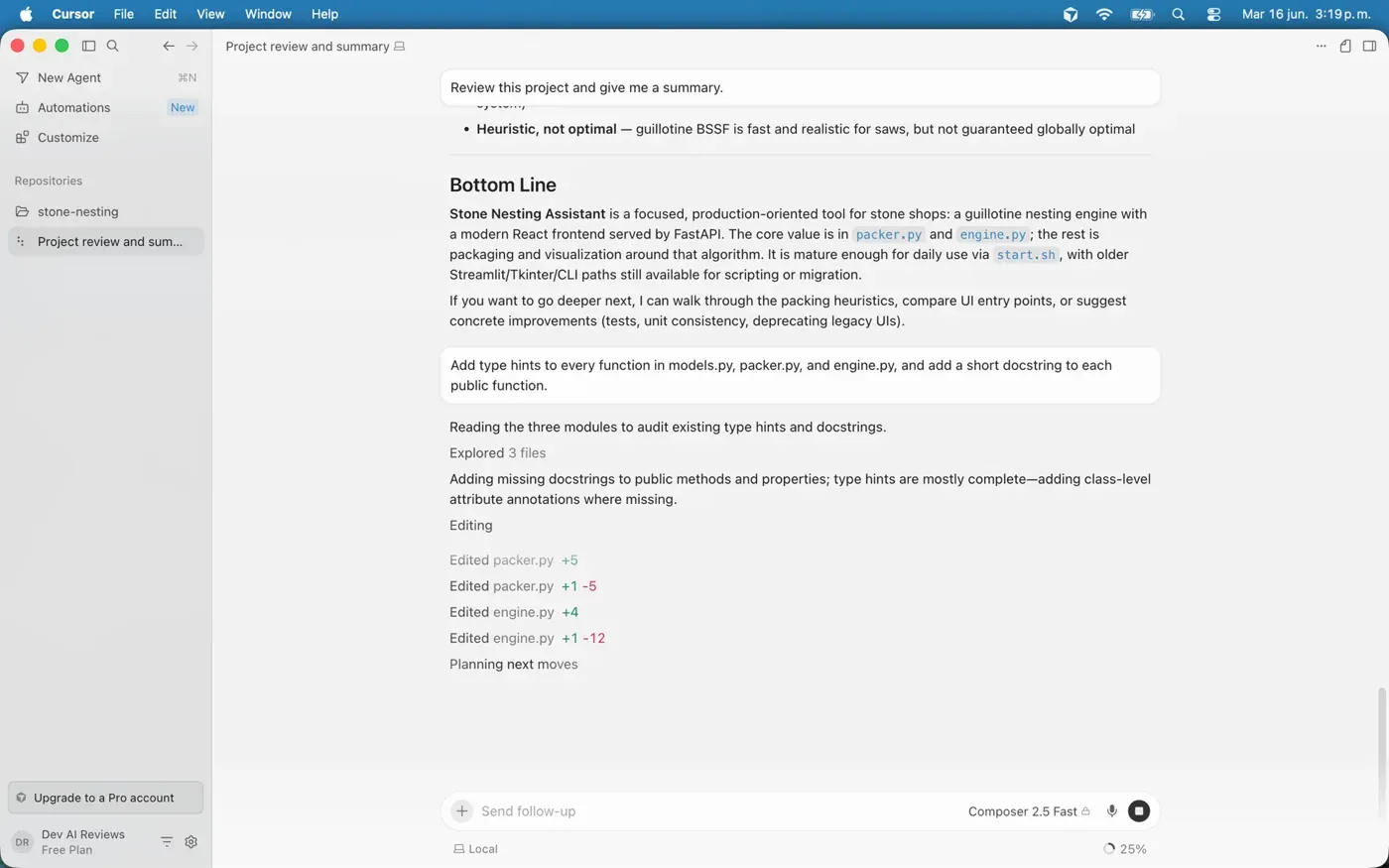
We ran Composer against one of our own projects — a 2D stone-nesting app with a FastAPI backend (a guillotine packing engine plus its Pydantic models) and a React/Vite frontend. The task crossed both halves of the stack: add a kerf (saw-blade thickness) field to the slab model, thread it through the packing engine and the API response, and surface it as an input in the React config panel. Composer indexed the repo on open, found every file that touched the slab type — the Python models, the packer, the FastAPI route, the SlabConfig input panel, and the ResultStats readout where kerf changes the usable-yield number — and proposed the diffs in one pass. It didn’t hallucinate imports or invent a field name we weren’t using. Two of the diffs needed a manual tweak (it added the kerf to the layout math in the wrong spot), but the cross-file plumbing was right the first time, which is the part that usually eats the most time by hand.
Pricing: Hobby (free) gives limited Agent requests and Composer access — no credit card required. Pro ($20/mo) bundles unlimited Tab completions, a generous included pool for Cursor’s own models, and a credit pool matching the plan price that depletes when you manually select third-party frontier models (Claude Sonnet, GPT-5, etc.); Auto mode bills per token as well. Pro+ and Ultra raise the usage pools from there.
The tradeoff: You’re on a fork maintained by a small company. Most VS Code extensions work, but not all. And it’s a separate subscription on top of whatever else you’re already paying for.
See our Cline vs Cursor comparison for a deeper look at how it stacks up against the open-source agent route.
VS Code + GitHub Copilot
Best for: Developers who want AI in their existing workflow without switching editors or adding a new tool.
Copilot runs in the VS Code you already have — one extension install — and the GitHub integration is genuine: PR code review, issue context, and workspace-aware chat all work natively because Copilot and GitHub are the same product. That advantage is real if you spend meaningful time in GitHub itself, not just writing code.
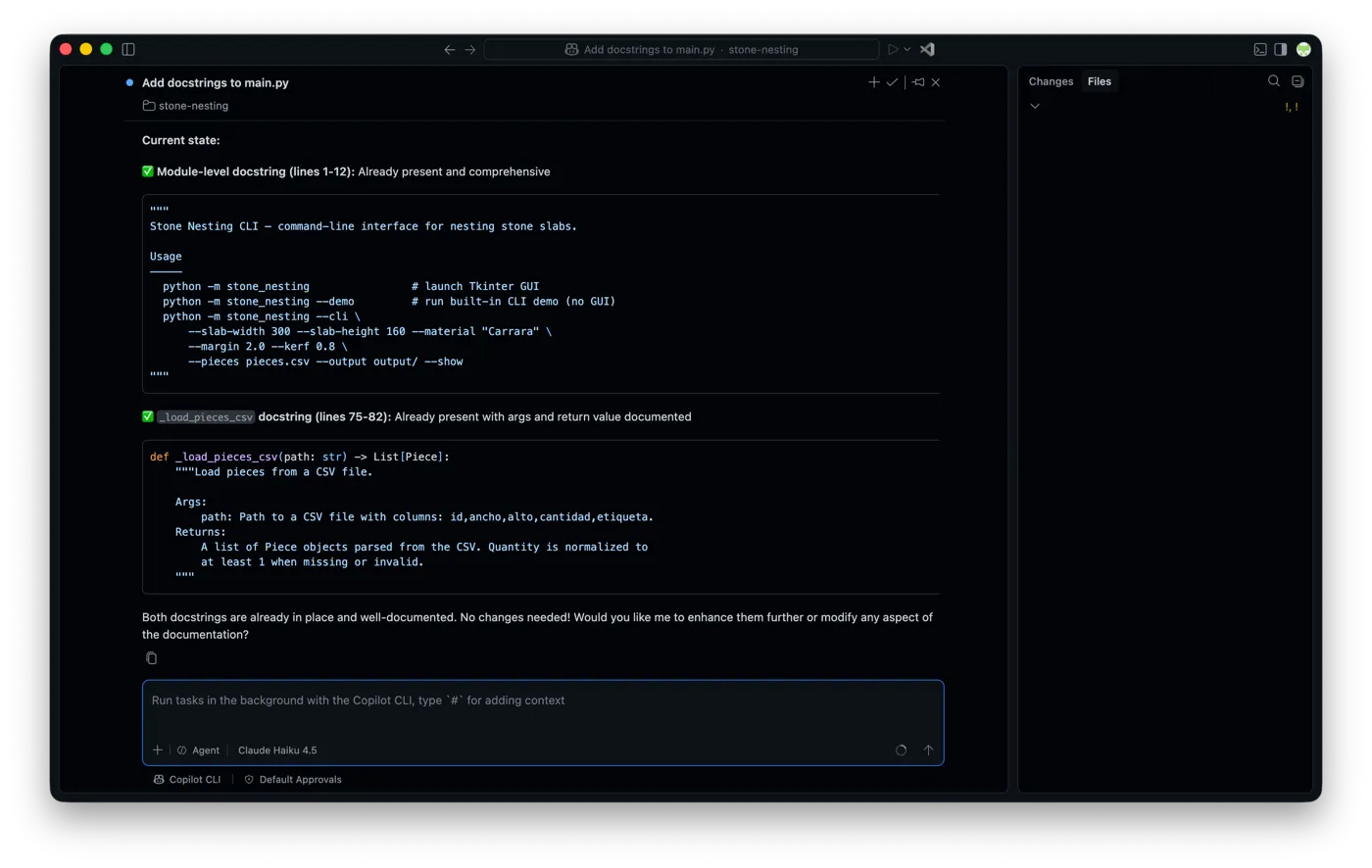
Agent mode handles multi-step tasks across files. Copilot’s coding agent goes further: assign it a GitHub issue, and it works asynchronously in GitHub Actions, runs your CI, and opens a draft PR — much like Cursor’s Background Agents. By most reports it’s less mature than Cursor’s, but it covers the same ground.
Pricing: Free gives 2,000 completions per month and limited chat. Pro brings unlimited completions plus a monthly AI-credit allowance; Pro+ adds premium model access and a larger allowance; Max targets heavy daily users. GitHub moved from per-request billing to AI credits (token-based) in June 2026, so overages scale with actual token usage rather than request count.
The tradeoff: Codebase context and the multi-file diff experience don’t match Cursor’s depth for complex refactors. If you regularly touch 15+ files in one session, you’ll feel the gap.
See our GitHub Copilot review and Cursor vs GitHub Copilot.
Claude Code
Best for: Developers who work in the terminal, use non-VS Code editors, or want agentic capability without changing their editor.
Claude Code runs as a CLI tool — drop it in any terminal, in any environment, and it operates the same way. It reads your files, runs commands, and handles agentic tasks the same way Cursor’s agent does inside the editor. A VS Code extension also exists, so you can review changes in the editor if you prefer.
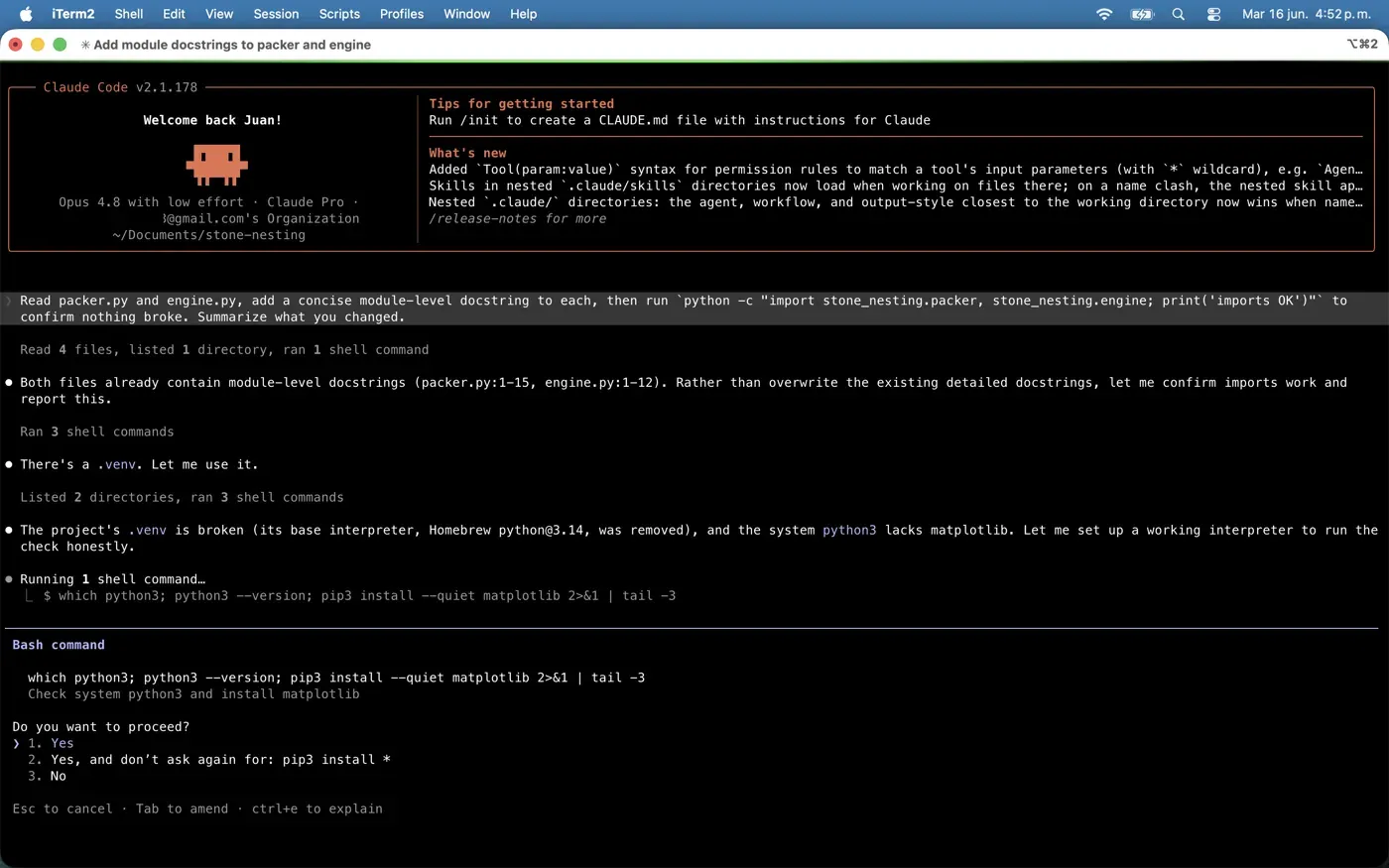
What sets it apart from editor-native tools:
- Works with any editor — Vim, Emacs, JetBrains, VS Code, or none
- Runs over SSH on remote machines without setting up a full editor
- Stateful sessions: you can interrupt, redirect, and resume mid-task
- Easy to script and compose with other CLI tools
Pricing: Included in Claude Pro, which covers moderate daily usage. The Claude Max tiers (5× and 20× usage) are the right fit for heavy workloads or long agentic sessions without hitting rate limits.
The tradeoff: No background async agents like Cursor’s, and no per-request model switching — it runs on Claude models only. In the terminal you get text output; the VS Code extension shows diffs with a keep/undo step, but it’s less visual than Cursor’s Composer workflow.
Windsurf
Best for: Developers who want Cursor-level AI editor features and want to evaluate an alternative before committing.
Windsurf is a VS Code fork positioned directly against Cursor: AI built into the editor architecture, agentic multi-file editing, its own model family. Cognition (the company behind the Devin agent) bought Windsurf — formerly Codeium — in 2025 and has since folded it into the Devin brand as Devin Desktop, which is why the pricing card below carries that name; the editor and its SWE-1 code-specialized model are the same. Pro also includes access to Claude Sonnet 5, GPT-5, and Gemini 3.1 Pro.
Tab — Windsurf’s inline autocomplete — is unlimited on every plan, including free. Complex multi-file tasks go to the agent, which plays a similar role to Cursor’s Composer. Cognition replaced the long-standing Cascade agent with Devin Local — rewritten in Rust and sharing the Devin CLI harness — and set Cascade’s end of life for July 2026. Cascade is still the documented fallback when Devin Local isn’t enabled on an install, so which one you get depends on your settings — we walk through what the rename actually shipped, including how to check which agent you’re on.
Pricing: Free tier has a limited daily quota but unlimited Tab. Pro brings access to all premium models plus unlimited Tab and unlimited Command (inline edits); Max adds API-priced overages for the heaviest workloads, and there’s a per-seat Teams plan. Windsurf moved from a credit-based system to daily/weekly quotas in March 2026.
The tradeoff: Windsurf is newer than Cursor, and the community around it is smaller — fewer third-party guides, fewer solved edge cases, fewer extensions specifically tested against it. The async background agent story is also less developed than Cursor’s.
Antigravity IDE
Best for: Developers who want an agent-first editor built around Google’s Gemini models and don’t mind a brand-new platform.
Antigravity is Google’s agent-first development platform, and the named successor to Gemini CLI — which Google shut down for consumers in June 2026. It ships as four surfaces; the Antigravity IDE is the one that competes here: a full coding environment with agents wired in. You still write code yourself, but you hand multi-file changes, deep-context tasks, and tool use to the agent. It supports MCP servers and reusable skills, and runs asynchronous subagents for parallel background work.
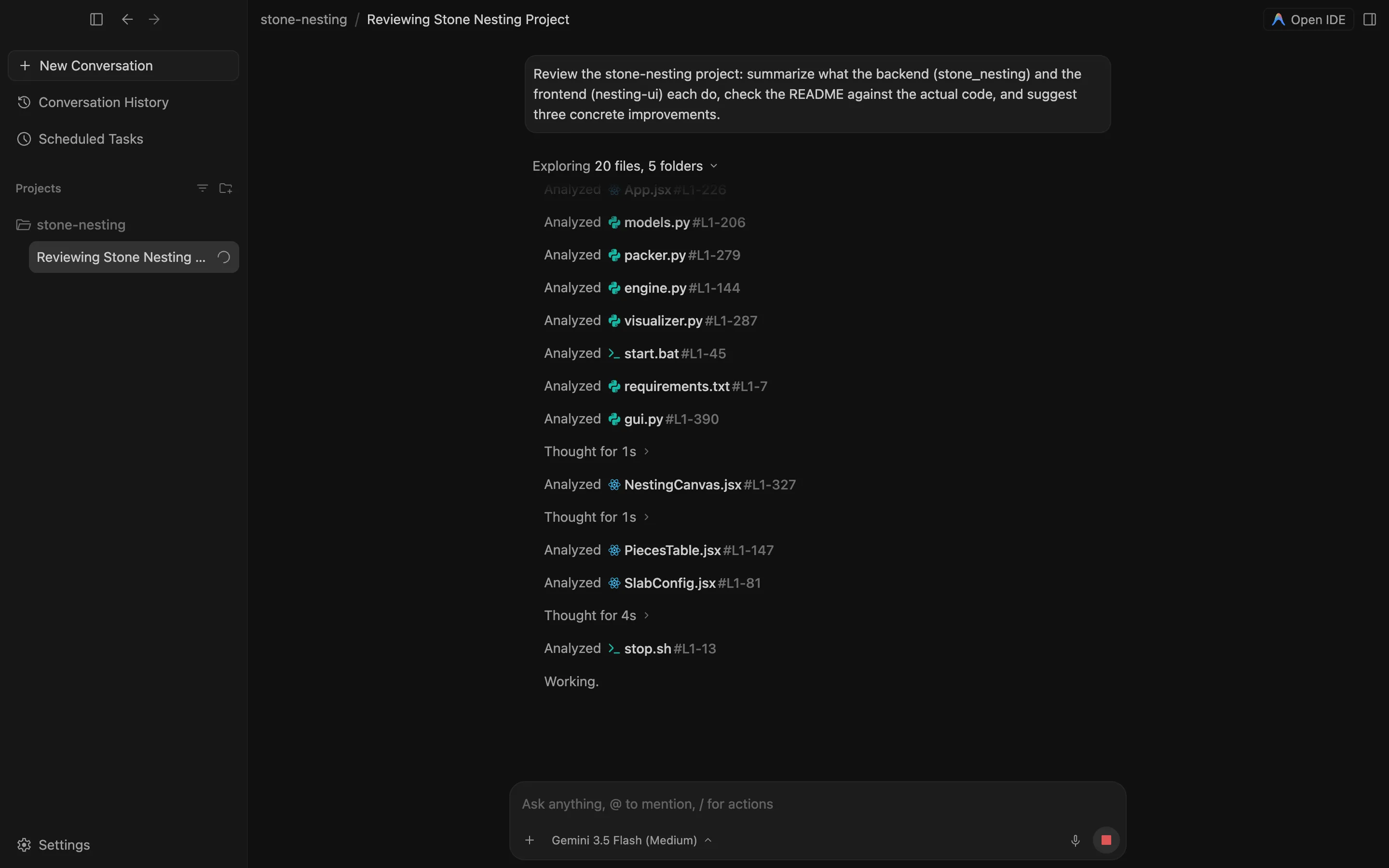
The model story is the pitch: the IDE isn’t locked to Gemini. It runs Gemini 3.1 Pro (preview) and the faster Gemini 3.5 Flash, and it supports Anthropic’s Claude models too, so you can point the same workflow at whichever model you trust for the job.
Pricing: There’s a free tier, but it’s tight — around 20 agent requests a day on a rolling window, far less than the roughly 1,000/day the old Gemini CLI free tier gave. Paid Google AI Pro and Ultra plans raise the quota, and that quota is shared across your Google AI account, so a plan you already pay for carries over.
The tradeoff: It’s the newest editor here, and the free tier is genuinely restrictive — 20 requests a day is enough to evaluate it, not to live in it. You’re also betting on a platform Google has already restructured once (the late-2025 launch, then the “2.0” relaunch in May 2026). For the full breakdown of all four surfaces, see our guide to Google Antigravity; for how its terminal tool compares to the open-source agents, see our Gemini CLI alternatives roundup.
Aider
Best for: Developers who want maximum model flexibility and terminal-first AI assistance without a subscription.
Aider is an open source CLI tool for AI pair programming. You run it in a terminal, point it at a repo, and work in a conversational loop — ask for changes, Aider applies them as actual git commits you can inspect, diff, or revert with normal git commands. No proprietary format, no sync account, no vendor.
The defining feature is model flexibility. Aider works with whatever model you point it at: Claude Sonnet, GPT-5, Gemini, or a local model via Ollama. You pick the model per session, and you pay the API cost directly — no subscription markup.
Beyond model choice, Aider has a few capabilities that editor-based tools don’t match:
- Repo-map — builds a structural map of the codebase so the model understands project context without you manually feeding every file
- Auto-lint and test loop — runs your linter and test suite after every change, feeds failures back to the model, and retries until the tests pass
- Voice mode — describe changes out loud; Aider transcribes and executes
- Commits every change automatically with a sensible message, making history easy to review
We put Aider on the same stone-nesting codebase, this time terminal-only, to refactor the guillotine packer — splitting one overgrown packing function into smaller helpers without changing behavior. The repo-map gave it enough context to work without us hand-feeding files. After each edit it ran our pytest suite, and when a refactor broke a placement test, it read the failure and corrected the helper on its own before moving on. Every step landed as a separate git commit, so reviewing what it did was a normal git log and git diff rather than scrolling a chat. That git-native loop is Aider’s real advantage: when one change went a direction we didn’t want, undoing it was a git revert, not a fight with a tool.
Pricing: The tool is free. You pay for API usage. At moderate usage with Claude Sonnet 5, expect $5–20/month. Running a local model via Ollama brings the cost to near zero.
The tradeoff: No IDE-native diff UI — you review changes in your editor’s git tools or the terminal. The conversational loop is powerful but slower than clicking through a Cursor diff. Managing API keys across multiple models is also friction that a subscription product eliminates.
JetBrains + AI Assistant
Best for: Teams already committed to IntelliJ, PyCharm, GoLand, or another JetBrains IDE.
JetBrains AI Assistant brings AI completions and chat natively into the full JetBrains suite. GitHub Copilot also supports JetBrains IDEs. Neither Cursor nor Windsurf does. Claude Code’s CLI works fine alongside any JetBrains setup for terminal-based tasks.
Pricing: AI Free includes 3 AI credits per 30 days plus unlimited code completion. AI Pro and AI Ultimate step up the credit allowance per developer. If your team already has a JetBrains All Products subscription, AI capabilities are bundled in — no separate line item.
The tradeoff: JetBrains-specific tooling doesn’t travel. If developers on your team use mixed editors, or you migrate to VS Code later, the per-developer AI cost doesn’t follow.
How to choose
Pick Cursor if: You use VS Code, do regular multi-file refactors, and want the deepest AI editor integration available. The Composer workflow and Background Agents are ahead of the competition.
Pick VS Code + Copilot if: You want to stay in VS Code without switching to a fork, the cheaper subscription matters, or you live inside GitHub for PR review and issue work.
Pick Claude Code if: You use any editor other than VS Code, you work primarily in the terminal, or you’re already on Claude Pro and want agentic capability without an extra subscription.
Pick Windsurf if: You want to run a head-to-head eval against Cursor before committing to either subscription.
Pick Antigravity IDE if: You want an agent-first editor tied to Gemini (with Claude available too), and you’re fine on a brand-new platform with a tight free tier.
Pick Aider if: You want complete model flexibility, you don’t want a subscription, or you’re comfortable reviewing changes through git and want the auto-test loop.
Pick JetBrains AI or Copilot for JetBrains if: Your team is on JetBrains and that’s not changing.
The “best AI IDE” question assumes you’re picking one. Most senior developers don’t. An AI editor for IDE work and Claude Code or Aider for terminal tasks — that combination covers more ground than any single tool.
More comparisons: AI coding assistants guide · Cursor review · GitHub Copilot review · Cursor vs GitHub Copilot · What is Google Antigravity · All comparisons
Frequently asked questions
What's the best AI IDE in 2026?
There's no single winner — it depends on how you work. Cursor has the most mature AI editor experience for multi-file work. VS Code with GitHub Copilot fits developers who want to stay in VS Code without switching to a fork. Claude Code is the pick for terminal-first or editor-agnostic workflows. Aider gives the most model flexibility with zero subscription cost. Start with what you already use and switch when you hit a specific ceiling.
Is Cursor better than VS Code with GitHub Copilot?
For complex multi-file refactors, Cursor's Composer and Background Agents are ahead. But Copilot's coding agent now handles async tasks on GitHub Actions and opens PRs on its own — the gap has closed. If budget matters or you live inside GitHub for PR review and issues, Copilot is the better fit, and it keeps you in the editor you already know.
Is Aider free?
Aider itself is free and open source. You pay for the underlying model API — Claude, GPT, Gemini, or a local model. At moderate usage with Claude Sonnet, expect $5–20/month in API costs. Run a local model via Ollama and the cost is near zero.
What's the best agentic IDE in 2026?
If agentic capability — the editor planning and executing multi-file tasks on its own — is your main criterion, the front-runners are Cursor (Composer and Background Agents), Antigravity (Google's agent-first editor), and Claude Code (terminal-based agentic work in any editor). Copilot's agent mode covers straightforward multi-file tasks inside VS Code, and its cloud agent opens PRs on its own from Pro up.
Which AI IDE is best for JetBrains users?
If your team is on JetBrains and isn't planning to switch, use JetBrains AI Assistant or GitHub Copilot for JetBrains. Both bring AI completion and chat into the IDE you already work in, without forcing a move to a VS Code-based tool.
Do I have to pick just one AI IDE?
No — these tools compose. Most senior developers end up with an AI editor for IDE work (Cursor or VS Code + Copilot) and a terminal tool like Claude Code or Aider for command-line tasks. The 'best AI IDE' question assumes a single choice, but in practice you mix them based on the task.