Last updated on
Cursor vs GitHub Copilot: which AI editor wins in 2026?
Cursor and GitHub Copilot are the two tools that come up in every “which AI editor should I use” conversation in 2026. They’re not the same kind of product: one is a VS Code fork with AI at its core, the other is a VS Code extension that’s gotten genuinely powerful. That distinction shapes where each one wins.
What each tool actually is
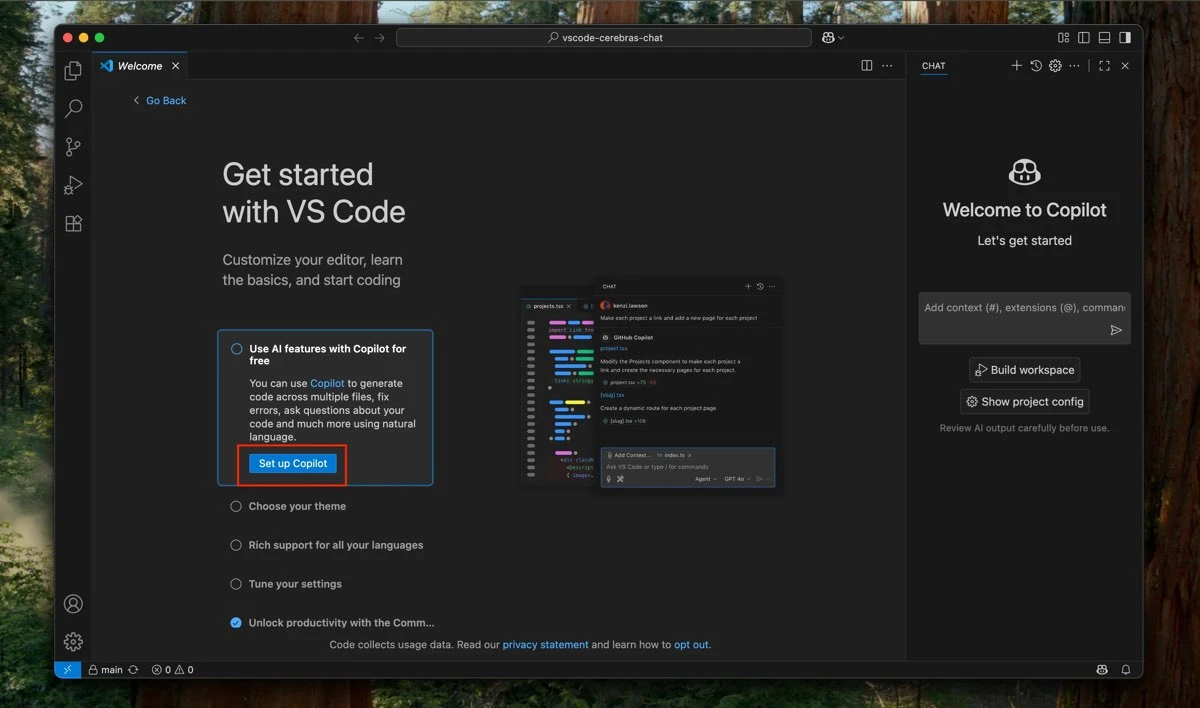
GitHub Copilot is an extension. It lives inside your existing VS Code (or JetBrains, or Visual Studio) installation. Since early 2026, it ships with Agent mode, code review, and multi-model support, but it runs within the constraints of what an extension can do — it doesn’t own the editor, the terminal, or the workspace indexing pipeline.
Cursor is a VS Code fork. It has the same UI and supports most VS Code extensions, but AI is integrated at a deeper level — codebase indexing, multi-file diffs, and agent loops are first-class features of the editor, not add-ons. The tradeoff is that you’re now on a fork that a small company maintains, not Microsoft.
Autocomplete
Both are good. Cursor is faster on raw tab completion speed — it prioritizes low latency and often suggests the next several lines, not just the current one. Copilot’s completions lean toward accuracy, suggesting more conservative completions that are slightly more likely to be exactly right.
For day-to-day use, the difference is small. Both get out of the way when you type and show up when you pause. The model behind the suggestions matters more than the editor wrapper at this point.
Multi-file editing
This is where Cursor pulls ahead. Cursor’s Composer lets you describe a change in natural language — “extract this service into its own module and update all the imports” — and it searches the codebase, identifies all affected files, and presents diffs for all of them at once. You review and accept per file.
Copilot Agent mode can edit multiple files, but it works more sequentially — proposing changes file by file as it moves through a task. For refactors that touch a lot of files at once, Cursor’s approach is faster.
Agent mode
Both have agent mode. Both will loop: read the codebase, write code, run commands, check outputs, fix failures, repeat. In practice:
Cursor’s agent runs in your local environment, which means it uses your installed dependencies, your .env, your actual test suite. The feedback loop is tight.
Copilot’s agent is slightly more sandboxed and newer — it shipped in January 2026 and has matured through the year, but it’s still catching up in edge-case reliability. For straightforward agentic tasks, both work. For complex multi-step tasks in a large codebase, Cursor’s agent tends to produce fewer stalls where it asks for clarification.
Cursor’s Background Agents are unique — they run async on Cursor’s servers, let you run multiple agents in parallel, and surface a PR when done. Copilot has nothing equivalent to this.
We ran the same multi-file task on both — “add type hints to every function in models.py, packer.py, and engine.py, and a short docstring to each public function” on a real Python project. Both planned the work, read the three files, and applied correct edits.

The difference was speed: Cursor’s agent finished in about 56 seconds; Copilot’s took roughly 91 seconds for the same work. Both produced correct edits, so the gap is latency, not quality — but on a task you repeat dozens of times a day, the faster loop adds up. Treat the exact numbers as one data point on one task, not a benchmark; the direction (Cursor faster here) is what held up across runs.
Benchmark snapshot
We don’t print head-to-head SWE-bench numbers for these two. Neither GitHub nor Cursor publishes an official, comparable score for the tool itself — what circulates online mixes benchmark variants and test conditions that don’t line up, so a precise table would be misleading. What’s consistent across reports is the shape of the difference: Copilot tends to edge ahead on raw task-completion accuracy, while Cursor tends to be faster and stronger on multi-file work.
Treat any specific percentage you see quoted for these tools skeptically unless it names the exact benchmark, variant, and conditions. Benchmark numbers rarely match how either tool performs on your actual codebase anyway.
Pricing comparison
Copilot is cheaper at the entry paid tier — Copilot Pro runs half the price of Cursor Pro. If you’re comparing the tools that most developers actually use day-to-day, that gap is the whole story; both also sell higher tiers (Copilot Pro+ and Max, Cursor Pro+ and Ultra) that our pricing tracker keeps verified with price history.
Copilot also has a genuine free tier on GitHub.com that includes 2,000 completions and 50 chat requests per month, with access to Gemini 2.5 Pro and Claude Haiku 4.5. Cursor’s Hobby tier matches the completion count but limits you to 50 slow requests.
GitHub integration
Copilot’s home turf. Code review on PRs, issue summarization, workspace-aware chat — these are native to GitHub. Cursor has GitHub access through MCP and agent tools, but Copilot is the tool that lives in the same ecosystem as your issues, PRs, and Actions.
If you spend significant time in GitHub itself — reviewing PRs, writing issues, working in GitHub.dev — Copilot’s integration is something Cursor doesn’t replicate.
Which one to use
Use Cursor if:
- You do regular multi-file refactors or migrations
- You want Background Agents for async parallel tasks
- You’re a power user who’ll actually run Composer and agent loops multiple times a week
- Raw speed of completions matters to your flow
Use Copilot if:
- You work in JetBrains, Visual Studio, or need a specific IDE
- Budget matters — Copilot Pro at half the price of Cursor Pro adds up
- You spend time in GitHub reviewing PRs and want AI embedded there
- Your company has Copilot through an enterprise agreement already
Honest overlap: For the majority of developers writing in VS Code, both tools cover most daily tasks well. Cursor’s advantages are real, but they show up most in specific workflows — large codebase changes, agentic runs, parallel workstreams. If that’s not most of your work, Copilot Pro gives you the same quality completions for less.
The free tier on Cursor is worth installing to test Composer on your actual codebase before deciding. That one feature is what tips the comparison for a lot of developers.
See also: Cursor review · AI coding assistants guide · Best AI models for developers in 2026 · Every head-to-head we’ve run
Frequently asked questions
Is Cursor or GitHub Copilot cheaper?
GitHub Copilot is cheaper at the entry paid tier: Copilot Pro is $10/month versus Cursor Pro at $20/month. Both have a genuine free tier (around 2,000 completions per month). If you're comparing the tiers most developers actually use, Copilot costs about half as much — the pricing snapshots in this comparison and our pricing tracker carry the verified current figures.
Which is better for editing multiple files at once?
Cursor. Its Composer feature describes a change in plain language, finds every affected file, and shows diffs for all of them to review at once. Copilot's Agent mode can edit multiple files but works more sequentially. On the same multi-file task we timed, Cursor's agent finished in about 56 seconds versus roughly 91 for Copilot — both correct, but Cursor was faster.
Should I use Cursor or GitHub Copilot?
Use Cursor if you do regular multi-file refactors, want async Background Agents, or care about raw completion speed. Use Copilot if budget matters (Copilot Pro costs half as much as Cursor Pro), you work in JetBrains or Visual Studio, or you spend time reviewing PRs in GitHub where Copilot is natively embedded. For most everyday VS Code work, both cover the basics well.
Does GitHub Copilot have a free tier?
Yes. GitHub Copilot's free tier includes about 2,000 code completions and 50 chat requests per month, with access to models like Gemini 2.5 Pro and Claude Haiku 4.5. It's enough to evaluate the tool; heavy users hit the limits within a week and upgrade to Pro.