Last updated on
Cursor review: the AI editor that replaces VS Code?
Cursor is a fork of VS Code — same UI, same extensions, same keybindings — but with AI built into the editor at the architecture level rather than bolted on as a plugin. That distinction sounds marketing-y until you use Composer for the first time and realize that editing five files simultaneously based on a single instruction isn’t something you get from a sidebar extension.
What makes Cursor different from VS Code + Copilot
GitHub Copilot lives inside VS Code as an extension. Cursor is a fork of VS Code — it ships with AI integrated at a lower level, which lets it do things no extension can:
- Codebase-wide context without manual setup. Cursor indexes your repo on open. When you describe a change, it searches across all files to find what needs editing — you don’t drag files into a context window.
- Composer for multi-file edits. Describe the change in natural language; Cursor identifies all the files involved and shows diffs for each. Accept all at once or file by file.
- Agent mode loops until done. Agent mode reads the codebase, edits files, runs terminal commands, watches output, and iterates. If a test fails after a code change, it reads the error and fixes it — without you re-prompting.
- Background Agents run on Cursor’s servers. Assign a task, and a remote agent clones your repo, writes and tests the code, and opens a PR. You can run multiple agents in parallel and check in when they surface a result.
VS Code added Agent mode in early 2026, and it’s genuinely good for single-workspace tasks. But nothing in VS Code matches Cursor’s Background Agents for async, parallel work.
Models available
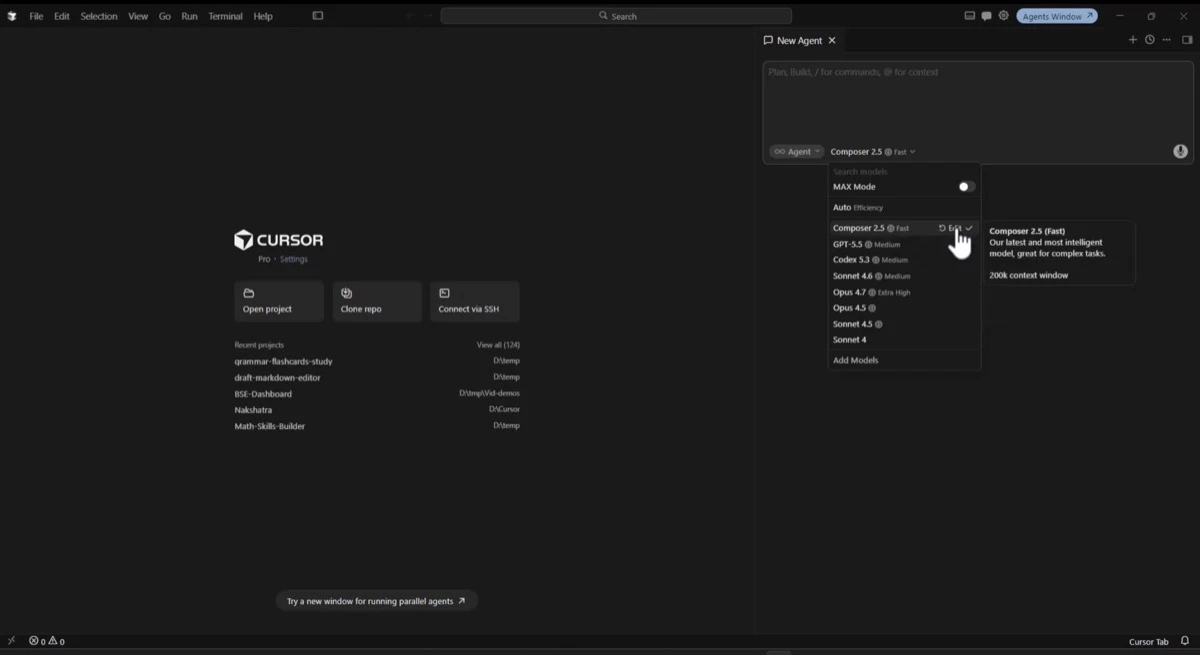
Cursor routes requests through the frontier models you’d expect: Claude Sonnet 5 and Opus 4.8 for the heavyweight tasks, GPT-4o and o1 for alternatives, and Gemini 2.5 Pro. You pick per-request in most modes. The default on Pro is Sonnet 5 — fast enough for interactive use, capable enough for most coding tasks.
Pricing
Above Pro sit Pro+ (more fast requests, priority queue), Ultra (20× usage, first access to new features), and per-seat Teams plans with SSO and admin controls — the Cursor page in our pricing tracker keeps the full verified list and price history. Annual billing cuts roughly 20% off paid plans.
The Hobby tier is real for light use — 2,000 completions covers a low-volume day. The 50 slow requests cap is what runs out fast if you’re using Agent or Composer for anything substantial. Pro is the meaningful tier for working developers. When requests fail mid-session, check Cursor’s live status before assuming you’ve hit that cap.
Tab autocomplete
Cursor’s tab completions are fast — sub-100ms in most cases. The model predicts not just the current line but the next several, often completing a whole code block from a function signature. It’s trained to understand edit patterns: if you rename a variable on line 10, it’ll predict and offer the same rename downstream as you move through the file.
This is competitive with GitHub Copilot Pro’s completions and noticeably faster than completions from Copilot’s heavier models.
Composer
Composer is Cursor’s clearest differentiation. You open it with Cmd+I, describe what you want to change across the codebase, and it generates diffs across all affected files. For refactors that touch more than two or three files, it’s materially faster than working file by file.
The diffs are reviewable before apply — you see each change inline and can accept, reject, or edit before committing. On complex tasks it sometimes misses a file or applies a change in the wrong direction, so reading the diffs matters. But the ratio of right first time is high enough that it’s become the primary way to kick off anything non-trivial.
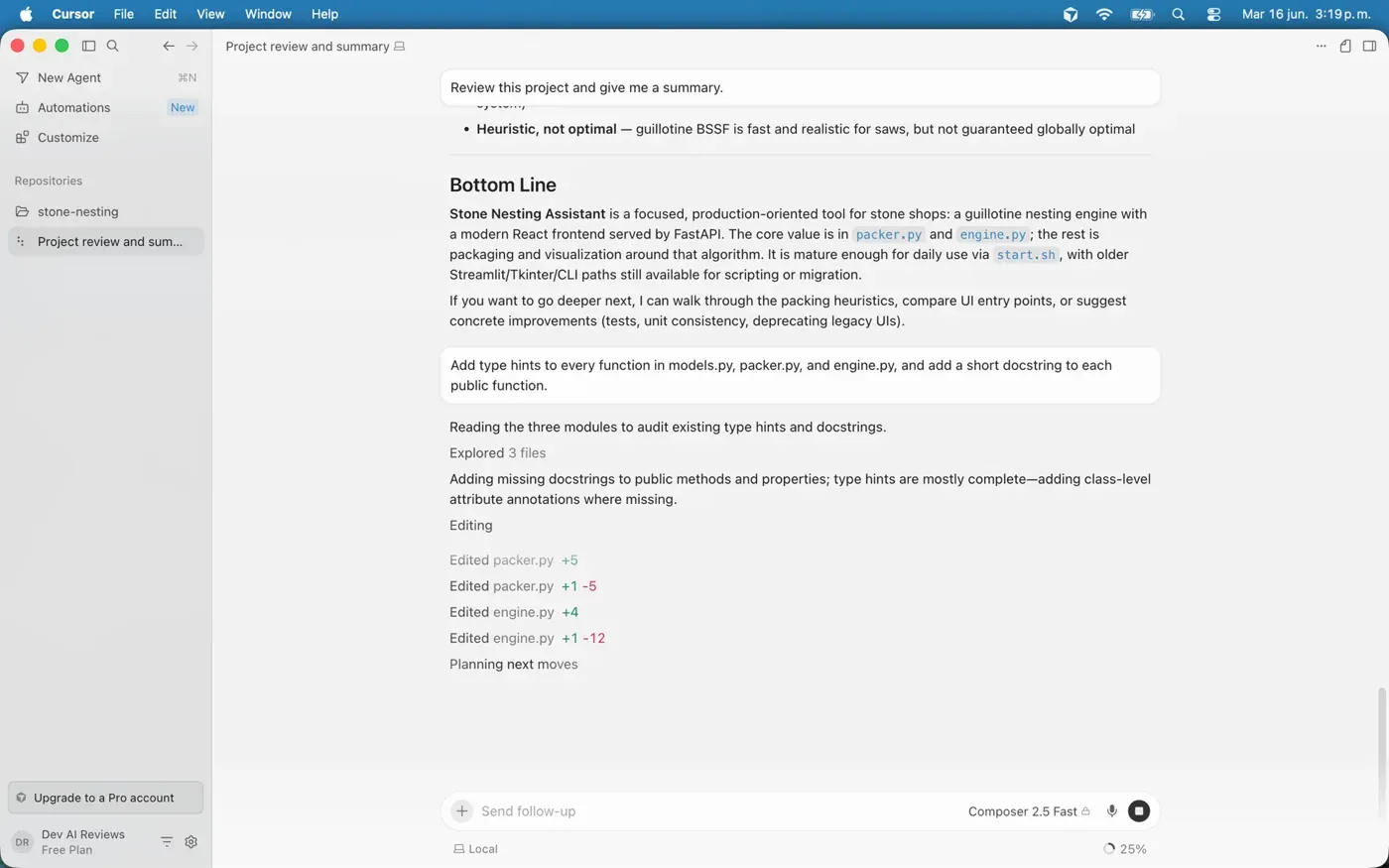
We gave it a single instruction on the same project — “add type hints to every function in models.py, packer.py, and engine.py, and a short docstring to each public function” — and it explored the three files, reported that type hints were mostly in place, and applied targeted edits across packer.py and engine.py in one pass (the change log shows the per-file additions and deletions). That’s the workflow that justifies Composer: you describe an intent that spans the codebase and review one batch of diffs instead of opening each file yourself.
Agent mode
Agent mode is the “do it all” path: give it a goal, and it loops — writing code, running commands, checking outputs, fixing failures — until it reaches a result or hits a guardrail. For tasks like “add a test suite for this module” or “refactor this service to use the new API,” it works well. For tasks that require judgment about architecture decisions, you’ll want to watch it and intervene.
The loop runs in your local workspace, so it has access to your actual environment — your installed packages, your config, your test runner. That’s different from cloud agents running on a generic sandbox, though that gap narrowed in August. Cursor’s cloud agents now start from Builds, pre-prepared copies of your environment with dependencies installed (included at no extra cost, shipped August 13), and the August 19 release added /goal for long-lived objectives, subscriptions that wake an agent when a PR or Slack thread changes, and subagents that run on their own virtual machines. We haven’t re-tested the cloud side since; the local-loop notes below still describe what we ran.
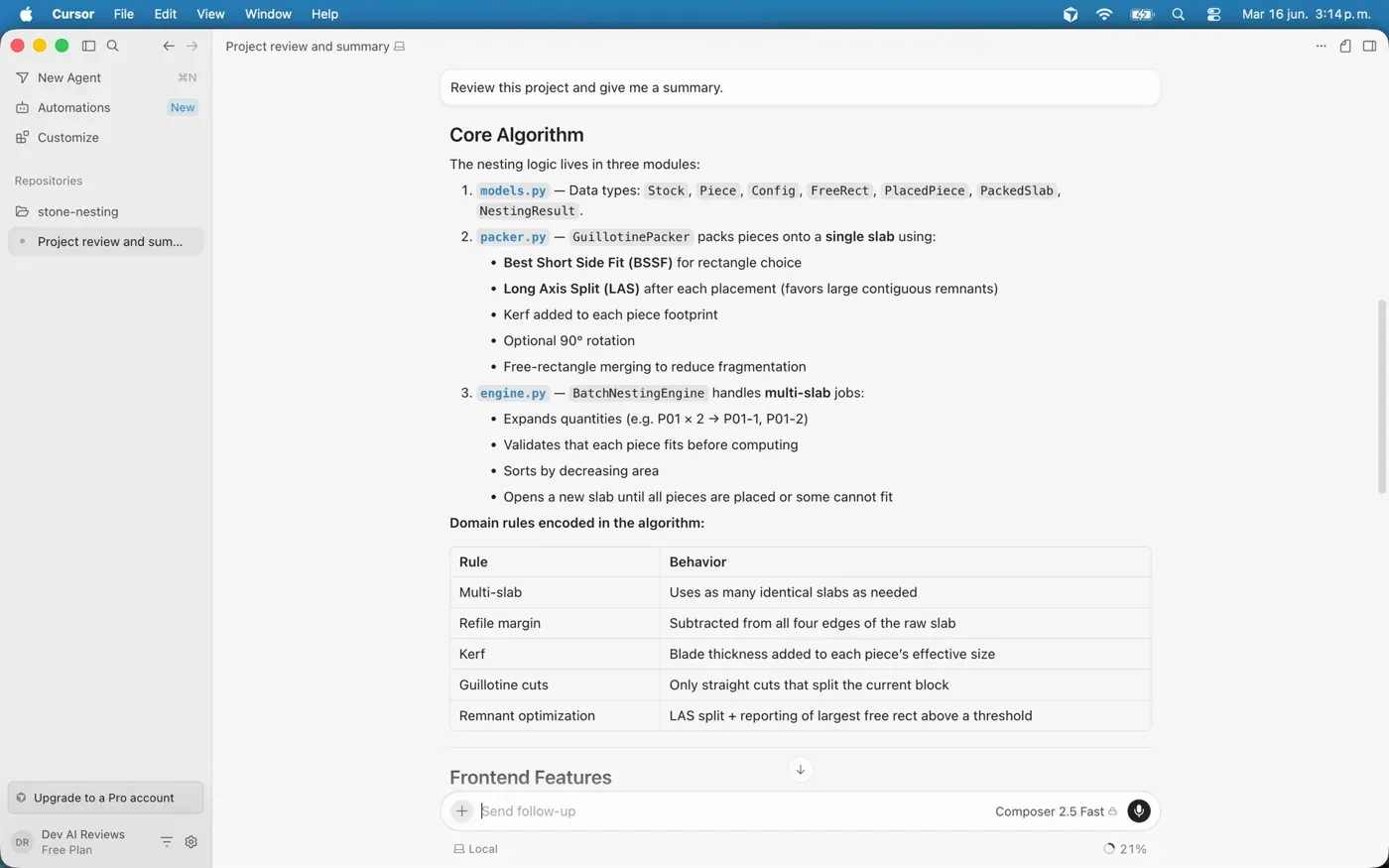
We ran Agent mode over one of our own repositories — a Python “stone-nesting” project — and asked it to review the codebase and summarize it. Working on the free plan, it walked the project, identified the core modules, and produced a structured breakdown of the algorithm and the domain rules encoded in it, without us pointing it at individual files. That repo-aware orientation, before you’ve touched anything, is the part that’s hard to get from a sidebar extension.
Background Agents
Background Agents (current version as of June 2026) run on Cursor’s infrastructure. You assign a task from a control panel, and the agent handles everything async: clones the repo, does the work, and surfaces a PR when done. You can have multiple agents running in parallel on different tasks or different repos.
This is useful for tasks you can fully specify in advance — “fix all the ESLint errors in this directory,” “write unit tests for the auth module,” “update all imports from v1 to v2 API.” For tasks that need iterative back-and-forth, running agent mode locally is still the right approach.
The case for sticking with VS Code + Copilot
Cursor Pro costs twice what Copilot Pro does, and Copilot’s free tier costs nothing at all. That’s not nothing, and there are real reasons to stay:
- Extensions: Most VS Code extensions work in Cursor, but not all. Niche or enterprise extensions occasionally have compatibility issues.
- Corporate IT: Some teams can’t run third-party editor forks due to security policy. VS Code is the sanctioned tool.
- Simpler workflows: If your work is mostly file-by-file, single-language tasks, Copilot’s autocomplete and the new Agent mode in VS Code cover it. Cursor’s advantage shows when tasks span the codebase.
- Cost: If you’re already on Copilot Pro and getting value from it, Cursor is double the spend for incremental gain — unless you’re using Composer or agents regularly.
Verdict
Cursor is the better tool for developers who regularly do cross-file work — refactors, migrations, building new features that touch multiple modules. Composer alone justifies the Pro subscription if you do that kind of work more than a few times a week.
If most of your work is line-by-line completion, bug fixes in single files, or you’re in a corporate environment with extension restrictions, VS Code + Copilot Pro covers the same ground for the same or lower cost.
The free Hobby tier is worth installing just to test Composer and Agent mode on your own codebase before deciding. Two weeks of real use tells you more than any benchmark.
Cursor pricing verified against cursor.com in our pricing tracker, which we update as plans change. See also: Cursor vs GitHub Copilot for the head-to-head, and the AI coding assistants guide for the full landscape of Cursor, Copilot, Claude Code, and the rest. Every tool we’ve put through the same treatment is in our reviews.
Frequently asked questions
How much does Cursor cost?
Cursor has a free Hobby tier (2,000 tab completions + 50 slow AI requests per month). The entry paid plan is Pro at $20/month, with Pro+, Ultra, and per-seat Teams tiers above it; annual billing takes roughly 20% off. The pricing snapshot in this review shows the current verified plans, and our pricing tracker keeps the full list with price history.
Is Cursor better than VS Code with GitHub Copilot?
It depends on your work. Cursor wins for cross-file tasks — refactors and changes that span multiple files — thanks to Composer and codebase-wide indexing. If most of your work is line-by-line completion in single files, VS Code with Copilot Pro covers the same ground for half the monthly price. Cursor's edge shows when tasks span the codebase.
What is Cursor's Composer?
Composer (Cmd+I) lets you describe a change in plain language and have Cursor edit every affected file at once, showing a reviewable diff for each. You accept, reject, or edit changes before they apply. It's the feature that most clearly sets Cursor apart from extension-based tools, and it's available even on the free tier.
Is the free version of Cursor worth using?
Yes, for evaluation. The free Hobby tier is real for light use and lets you try Composer and Agent mode on your own codebase. The 50 slow-request monthly cap runs out quickly if you lean on the agent features, so it's enough to decide whether Pro is worth it, not to live in day to day.