Last updated on
How to set up MCP servers in Claude Code and Cursor
An MCP server is how you stop pasting things into a chat window. Instead of copying a Jira ticket or a query result into the prompt, you connect the tool once and the agent reads it directly. The protocol is the same across editors. The setup isn’t, and that’s where the half-hour goes.
We set this up on macOS with Claude Code v2.1.220, and every command output below is from that machine. The Cursor half follows Cursor’s current documentation, and we cover why in that section.
Key takeaways
- Claude Code configures MCP from the CLI (
claude mcp add); Cursor configures it from a JSON file or a one-click marketplace button. - The JSON body is nearly identical between them. The file locations and the scope rules are not.
- A project-scoped server in Claude Code sits at
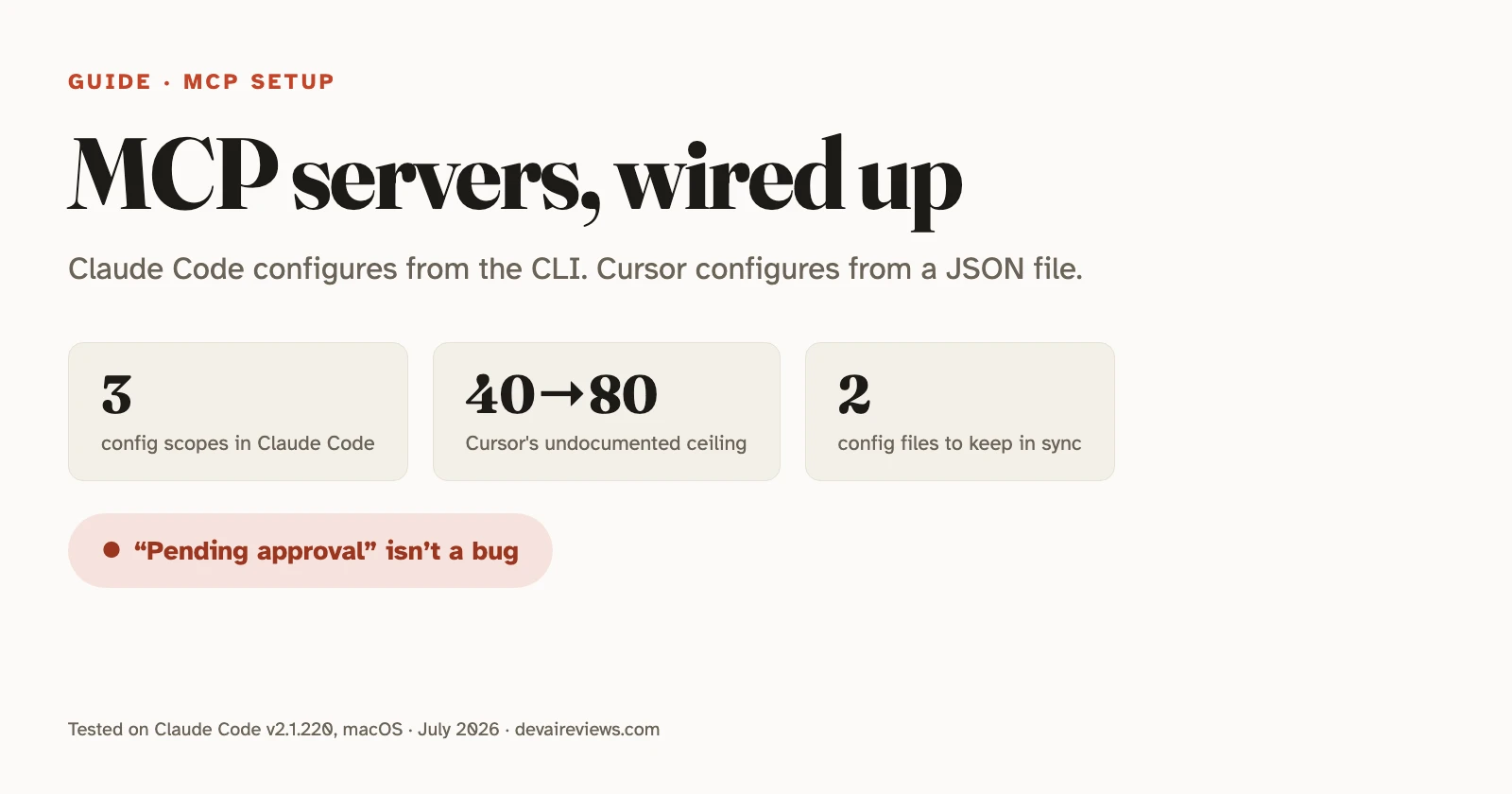
⏸ Pending approvaluntil you approve it interactively. This is the single most common “why isn’t it working.” - Claude Code has no fixed per-server tool cap. Cursor has one it never documents, and the number has moved from 40 to 80 to unclear — don’t plan around it.
What is an MCP server?
A small program that exposes tools — create_issue, run_query, search_docs — over a standard protocol, so any client that speaks MCP can call them. The client is your editor. The server is the thing wrapping GitHub, Postgres, Sentry, or your internal API. Support is close to universal among agentic tools now — Cline and Cursor both ship one-click marketplaces for it.
One clarification first, because half the search results get this wrong: Claude Code and Claude Desktop are different products with different config files. Claude Desktop uses claude_desktop_config.json. If a guide tells you to open Settings → Developer → Edit Config, it’s about the desktop chat app, not the terminal agent. Everything below is Claude Code.
How do you add an MCP server in Claude Code?
From the shell, with claude mcp add. There’s no config file to hand-write unless you want one.
For a remote server over HTTP, the transport most hosted services expose:
claude mcp add --transport http notion https://mcp.notion.com/mcpFor a local server that runs as a process on your machine, everything after -- is passed to the server untouched:
claude mcp add --env AIRTABLE_API_KEY=YOUR_KEY --transport stdio airtable \
  -- npx -y airtable-mcp-server
That -- matters. Without it, Claude Code tries to parse the server’s own flags as its options. One more quirk worth knowing: --env takes multiple KEY=value pairs, so if the server name comes straight after it, the CLI reads the name as another pair and rejects it. Put another option in between, as above.
SSE still works via --transport sse, but Anthropic’s docs mark it deprecated. Use HTTP where the server offers both.
Then manage them:
claude mcp list          # all servers + health check
claude mcp get notion    # detail for one
claude mcp remove notion
/mcp                     # in-session: status, auth, toggles
For servers behind OAuth, claude mcp login <name> runs the browser flow from your shell (v2.1.186 and later), or use /mcp inside a session. On a box with no browser, add --no-browser and paste the callback URL back at the prompt.
Where does Claude Code store the config?
Three scopes, and picking the wrong one is why a server shows up on your laptop but not your teammate’s.
| Scope | Loads in | Stored in |
|---|---|---|
| Local (default) | This project, private to you | ~/.claude.json |
| Project | This project, shared in git | .mcp.json |
| User | All your projects, private to you | ~/.claude.json |
Project scope is the only one your teammates get, because it’s the only one that lives in the repo.
Add --scope project and Claude Code writes a .mcp.json you can commit:
{
  "mcpServers": {
    "shared-server": {
      "type": "http",
      "url": "https://example.com/mcp"
    }
  }
}
Secrets don’t belong in that file. Claude Code expands ${VAR} and ${VAR:-default} inside command, args, env, url, and headers, so commit the shape and let each machine supply the token. If a variable isn’t set and has no default, the server still loads: you get a missing-variable warning in claude mcp list, and the literal ${VAR} text is passed through. That’s a confusing failure if you’re not expecting it.
When the same server name exists in more than one place, Claude Code uses one definition and doesn’t merge fields: local wins over project, project over user, then plugin-provided servers, then claude.ai connectors.
How do you add an MCP server in Cursor?
Two routes: the marketplace, or the file. One disclosure before either — Cursor isn’t installed on the machine we tested from, so this section is documented against Cursor’s MCP docs (checked 31 July 2026) rather than run by us, unlike the Claude Code commands above. Our hands-on with the editor itself is in the Cursor review.
The marketplace is the fast one. Cursor’s Marketplace and cursor.directory list servers with an “Add to Cursor” button that installs the server and runs OAuth in the browser if it needs it.
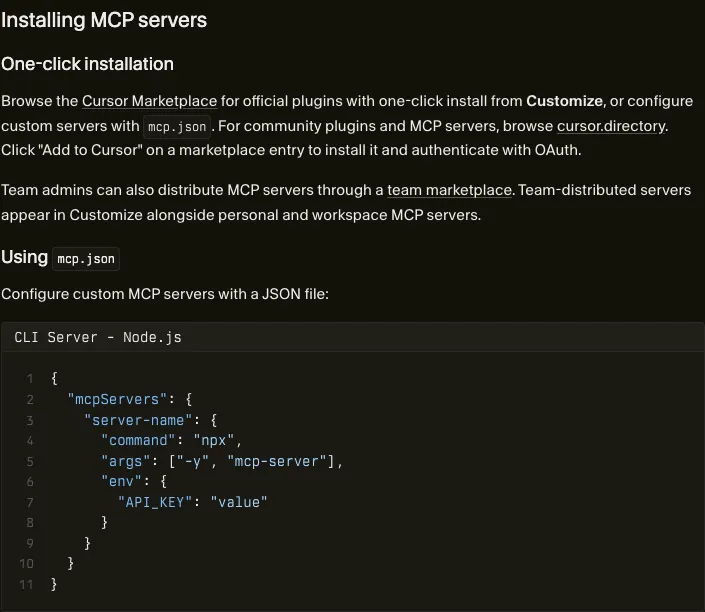
The file route is .cursor/mcp.json in the project, or ~/.cursor/mcp.json for every project. A stdio entry takes type: "stdio" and command, plus optional args, env, and envFile — though Cursor’s own examples omit type even though its field table marks it required. A remote entry takes url with optional headers, or an auth object holding CLIENT_ID, CLIENT_SECRET, and scopes for OAuth. Cursor interpolates ${env:NAME} along with ${userHome}, ${workspaceFolder}, ${workspaceFolderBasename}, and ${pathSeparator}, in command, args, env, url, and headers.
When something breaks, the logs are in the Output panel (Cmd+Shift+U), under “MCP Logs” in the dropdown.
One thing the docs never settle: they describe both config locations but don’t say which one wins when a server is defined in both. Don’t assume — name your servers differently until you’ve checked.
Can you reuse the same config in both?
The JSON body, mostly yes. The file, no.
Both tools key everything under mcpServers, and a plain HTTP entry with type, url, and headers is portable as-is. What doesn’t travel: the file path (.mcp.json versus .cursor/mcp.json), the interpolation syntax (${VAR} versus ${env:VAR}), and envFile, which Cursor supports for stdio servers and Claude Code doesn’t document at all. Claude Code’s three scopes also have no equivalent in Cursor, where you get project and global.
So a repo that supports both ends up with two files holding the same servers, and one of them needs its variables rewritten. It’s five minutes of tedium, not a blocker. Nobody tells you before you start, though.
Why isn’t my MCP server showing up?
claude mcp list health-checks everything and prints one of three states. Here’s each, captured on our machine:
astro-docs: https://mcp.docs.astro.build/mcp (HTTP)
  ✔ Connected

astro-demo: https://mcp.docs.astro.build/mcp (HTTP)
  ⏸ Pending approval (run `claude` to approve)

ghost: npx -y @modelcontextprotocol/server-does-not-exist
  ✘ Failed to connect
    -32000: MCP error -32000: Connection closed
(Line-wrapped to fit; the real output puts each server on one line.)
Pending approval is the one that confuses people, and it isn’t a bug. Project-scoped servers come from a file that ships with the repo, so Claude Code refuses to connect until you approve them in an interactive session. Run claude in that directory and accept. claude mcp reset-project-choices clears the decisions if you want to start over.
Failed to connect on a stdio server almost always means the command itself doesn’t run. Ours failed because the package doesn’t exist. Copy the command out of your config and run it in a terminal. Whatever error the health check swallowed prints in full.
Then there’s the silent one. A remote entry with a url but no type gets skipped entirely, and the server simply isn’t there:
MCP config diagnostics ⚠

[Contains warnings] Project config (shared via .mcp.json)
 └ [Warning] [broken-remote] Skipped — MCP server
   "broken-remote" has a "url" but no "type";
   add "type": "http" (or "sse" / "ws") to this entry
Claude Code reads a type-less entry as a stdio server, finds no command, and drops it. If you’re copying JSON from a server’s README, note that the MCP spec calls that transport streamable-http; Claude Code accepts it as an alias for http, so pasted config works unmodified.
There’s now a fourth way a server can vanish, and it’s the least obvious: enterprise policy. If your machine is managed, an admin can block servers with deniedMcpServers or leave them off an allowedMcpServers list, and Anthropic’s own docs are blunt about the failure mode — a previously working server “silently disappears from /mcp and claude mcp list with no warning” that policy is the reason (managed MCP docs). Trying to re-add it is what surfaces the truth: claude mcp add fails with not allowed by enterprise policy or explicitly blocked by enterprise policy. If a server worked last week, you changed nothing, and it’s gone with no error, ask whoever manages your fleet before you debug the config.
In Cursor, the equivalent first move is the log: open the Output panel (Cmd+Shift+U, or Ctrl+Shift+U on Windows) and pick “MCP Logs” from the dropdown. A server that fails there is isolated — Cursor reports the error without taking down your other servers.
Once a server does connect, confirm it end to end rather than trusting the green check: run /mcp inside a Claude Code session to see the tool count that server exposes, then give the agent a task only that server can do and watch which tool it calls.
How many MCP servers is too many?
This is where the two tools genuinely diverge.
Claude Code defers tool definitions by default. Only tool names and server instructions load at session start, and Claude searches for the rest when a task needs them, so Anthropic’s docs state there’s no fixed per-server cap: the practical limit is your context budget. Separately, MCP output over 10,000 tokens triggers a warning and gets capped at 25,000 by default. Raise it with MAX_MCP_OUTPUT_TOKENS.
Cursor works the other way: there’s a ceiling, it isn’t documented, and the number has moved. Its MCP docs state no limit at all. Forum threads through 2025 converged on 40 active tools across all servers, past which the agent quietly loses access to some. Then in October 2025 a Cursor staffer answered a bug report with “Cursor has a limit of 80 tools”. By March 2026 a user asking which figure was current got no official answer, and one reply reported running past 80 with no warning at all.
So don’t design around a number. Assume a soft ceiling that shifts between versions, and do the thing that helps under any of them: turn off the tools you aren’t using — in Cursor that’s the Customize panel in the sidebar — and prefer a server exposing eight sharp tools over one exposing thirty vague ones.
Is an MCP server safe to install?
An MCP server runs with the credentials you hand it. Anthropic’s docs put the warning plainly: a server that fetches external content can expose you to prompt injection, where text the server retrieves gets read as instructions. That risk isn’t theoretical for anything touching issue trackers, web pages, or email.
Before you add one: read the source if you didn’t write it, pin the version rather than pulling @latest, and scope the token down. Read-only database users and read-only tokens cover most of what you’ll actually ask for. Then treat a change to a committed .mcp.json in code review the way you’d treat a change to a CI workflow, because it has the same blast radius.
That last part is the piece teams skip. Everything else is fifteen minutes of config.
If you’re on a managed machine, some of this may no longer be your call — and as of August 2026 that’s true on both sides. Claude Code admins can deploy a fixed set through managed-mcp.json (a system-path file delivered by MDM or Group Policy) or filter what users add with allowedMcpServers and deniedMcpServers, tightened with allowManagedMcpServersOnly so a user’s own settings can’t widen the list. GitHub shipped the same two keys for Copilot on August 6, in copilot/managed-settings.json, enforced across the Copilot app, Copilot CLI, and VS Code. Those allowlists matter more since Agent Plugins 1.0 shipped on August 12: a plugin can now bundle an MCP server configuration together with skills, agents and hooks, generally available in VS Code, Copilot CLI and the Copilot app on all plans, so a server can arrive on a machine without anyone editing mcp.json by hand. GitHub’s own advice is to pair plugins with the allowlists, which approve or block servers by URL, command, or name.
One detail is worth carrying into your own policy if you write it: matching a server by serverName is not a security control. The name is just the label whoever added the server typed, so anyone can call anything github. Match on serverUrl or serverCommand if the rule is supposed to hold.
More on where these tools send your code, and what the vendors keep, in our guide to AI coding tools and privacy. The rest of our step-by-step work lives in guides.
Frequently asked questions
Where does the MCP config file live?
In Claude Code it depends on the scope: project-scoped servers go in .mcp.json at your repo root, while local- and user-scoped servers are stored in ~/.claude.json. In Cursor it's .cursor/mcp.json inside the project, or ~/.cursor/mcp.json for a global one. Both tools use the same top-level mcpServers key, so the JSON body is close enough to copy between them.
Why does my MCP server say 'pending approval'?
Because it's project-scoped. Claude Code won't connect to a server defined in a shared .mcp.json until you approve it, since that file arrives with the repo and could come from anyone. Run claude interactively in that directory and accept it. If you need to reset those decisions later, claude mcp reset-project-choices clears them.
How many MCP servers can I add?
In Claude Code there's no fixed per-server cap — tool search defers tool definitions until Claude needs them, so the practical limit is your context budget. Cursor has a ceiling but never documents it, and the number has moved: forum threads said 40 through 2025, a Cursor staffer said 80 in October 2025, and by March 2026 users were running past 80 with no warning. Treat it as a soft, version-dependent limit and disable the tools you aren't using.
Are MCP servers safe to install?
Treat one like an npm package you're about to run with your credentials, because that's what it is. Anthropic's own docs warn that servers fetching external content expose you to prompt injection. Pin versions instead of tracking latest, give each server the narrowest token you can, and read the source of anything you didn't write.