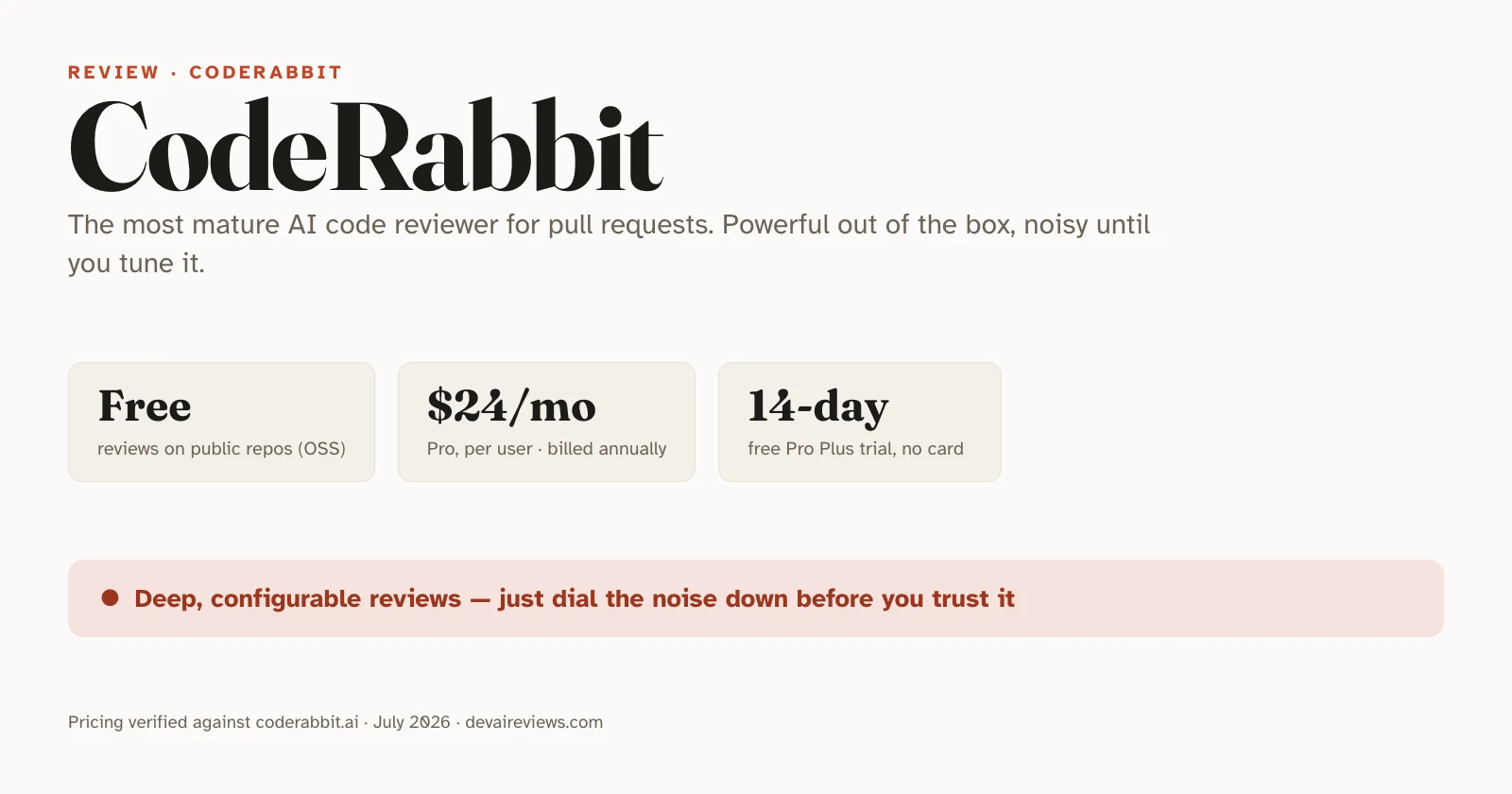
CodeRabbit review: is the AI code reviewer worth it?
CodeRabbit is the most mature dedicated AI code review tool right now, and for teams drowning in pull requests it’s genuinely useful. We ran it on a real pull request to see where it helps and where it slips. The short version: it ships loud — out of the box it comments on almost everything, and the developers who get value from it are the ones who tune it down first.
Key takeaways
- CodeRabbit reviews every pull request automatically, leaving inline comments and suggested fixes, and works across GitHub, GitLab, and Bitbucket.
- It’s free forever on public repos. For private repos, Pro is $24/user/month and Pro Plus is $48/user/month, both billed annually (verified pricing).
- Its real strength is configurability — a
.coderabbit.yamlfile plus natural-language instructions let you point it at what matters. - Its real weakness is noise. On large PRs it over-comments, and teams report dismissing false positives until they tune it.
- Treat it as the first pass, not the merge gate. It catches mechanical bugs; humans still own architecture and intent.
What is CodeRabbit?
CodeRabbit is an AI-powered code review tool that plugs into your pull request workflow. When a developer opens a PR, it reads the diff, posts line-by-line comments explaining what looks wrong, and often suggests a fix you can commit directly. It also runs inside editors like VS Code, Cursor, and Windsurf, and in the terminal, so you can get review feedback before you even open the PR.
The pitch is simple: hand the mechanical part of review — security patterns, common bugs, style drift — to the AI, so human reviewers spend their attention on architecture and business logic. It doesn’t write features for you. It reviews code that already exists.
How CodeRabbit works
The core loop is automatic PR review. Connect CodeRabbit to a GitHub, GitLab, or Bitbucket repository, and from then on every pull request gets a review: a summary of what changed, plus inline comments on the specific lines it flags. You can chat back at it in the PR to ask why it flagged something, and it responds in context.
What sets it apart from lighter tools is how much you can shape it. A .coderabbit.yaml file in your repo controls behavior, and you can attach plain-English instructions to specific paths (documented here). So you can tell it to check every file under src/api/ for input validation and auth middleware, while staying quiet about style in generated code. Over time it also learns from how your team accepts or dismisses its comments.
What CodeRabbit is good at
It’s the most configurable and mature option in a young category, and that shows up in three places.
Depth. CodeRabbit goes well past linting. On our test PR we hid a bare except: pass — an exception handler swallowing every error, including the ones you’d want to see. CodeRabbit caught it, tagged it “Minor | Quick win,” and explained precisely why: a bare except also traps KeyboardInterrupt and SystemExit, so catch OSError specifically instead. It attached a one-click suggested fix and a prompt you can hand to a coding agent.
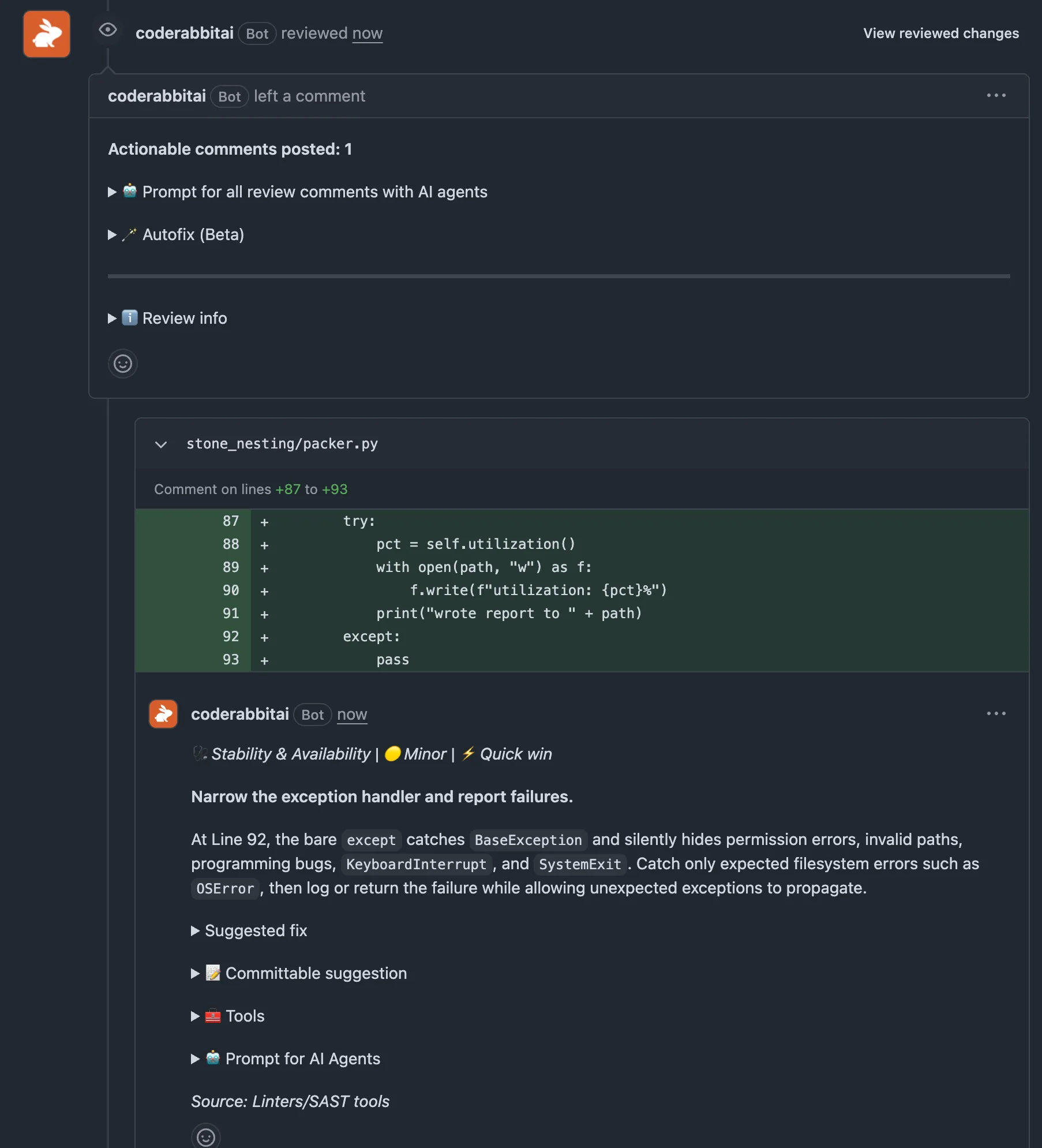
That’s the class of mechanical issue it reliably flags — SQL injection from string interpolation, missing null checks, unhandled async errors, race conditions — and developers testing it on multi-module projects report it picking up conflicts between interdependent modules, not just single-file changes.
Configurability. The per-path instructions are the feature that makes it stick. Most AI reviewers give you one global sensitivity dial. CodeRabbit lets you write different rules for your API layer, your models, and your front end, in natural language. That’s the difference between a tool your team keeps and one they mute.
Reach. It supports GitHub, GitLab, and Bitbucket, which matters if your org isn’t all-in on one platform. Most competitors are GitHub-only.
Where CodeRabbit falls short
The honest weakness is noise. CodeRabbit defaults to high sensitivity, so a large PR turns into a wall of comments. Open a 50-file change and you can get dozens of notes, many of them things your linter already handles. Developers on Reddit describe it flagging issues they don’t consider real, and the common thread in community feedback is that untuned CodeRabbit cries wolf often enough that teams start ignoring it. That’s the failure mode to avoid: a reviewer nobody reads is worse than no reviewer.
The fix is configuration, not abandonment. Turn off style comments (your linter owns those), scope its attention to security and correctness, and spend the first couple of weeks checking whether its comments are actually accurate. If it’s wrong more than a third of the time on your codebase, reconfigure before your team tunes it out.
There’s a flip side to its precision, too. On our test, a subtler bug — a utilization calculation with no guard against a zero-area input — slipped through on the first pass (“no actionable comments”), and only drew a review once we added the louder except bug alongside it. Tuning for signal means trading some recall: the quiet issues can go unflagged, which is exactly why it’s a first pass and not the last word.
It shares the ceiling every AI reviewer hits, too. It’s reliable on mechanical issues and inconsistent on the ones that need real understanding — subtle auth flaws, whether a change fits your architecture, whether the code solves the problem it was meant to solve. Those still need a person.
CodeRabbit pricing: is there a free plan?
Yes, with a catch. CodeRabbit is free forever for public, open-source repositories — sign up, install it on a public repo, and it reviews your PRs at no cost. Private repositories need a paid seat, and the free tier on private code is limited to PR summaries and IDE/CLI reviews rather than the full automated review.
Every paid plan starts with a 14-day free trial of Pro Plus, no credit card required. You’re billed only for developers who actually open pull requests, and there’s no cap on the number of reviews or repositories on any tier.
| Plan | Price | Who it's for | Notable limits |
|---|---|---|---|
| Free | $0 | Open-source and solo devs | Full reviews on public repos; PR summaries + IDE/CLI only on private |
| Pro | $24/user/mo (annual) | Teams wanting full automated review | 5 PR reviews per developer per hour; 5 MCP connections |
| Pro Plus | $48/user/mo (annual) | Teams needing higher limits and extras | 10 reviews/dev/hour; custom pre-merge checks; issue planner |
| Enterprise | Custom | Orgs needing SSO, RBAC, self-hosting | API access, audit logging, self-hosting option |
Pricing and limits verified against CodeRabbit's pricing page, July 14, 2026. There's also a usage-based add-on for unlimited CLI and PR reviews, and a separate Slack agent billed at $0.50 per active minute.
Two things to weigh. The headline prices are the annual rate — monthly billing costs more per seat. And because CodeRabbit charges per PR-author, a team where only a few people open PRs pays less than the seat count suggests.
CodeRabbit vs GitHub Copilot code review
The closest mainstream alternative is GitHub Copilot’s built-in code review, and the choice comes down to depth versus convenience.
| CodeRabbit | Copilot code review | |
|---|---|---|
| Cost | Free on OSS; $24+/user/mo private | Included with Copilot (full PR review on paid plans) |
| Platforms | GitHub, GitLab, Bitbucket | GitHub only |
| Configurability | High (per-path YAML + natural language) | Limited (custom-instructions files; newer, less granular) |
| Setup | Connect repo, tune config | Zero — it's already there |
If you already pay for Copilot and your whole team lives on GitHub, its built-in review is included and native, and that convenience is hard to argue with. If you want deeper, tunable review — or you’re on GitLab or Bitbucket — CodeRabbit is the stronger dedicated tool. We go deeper on the Copilot side in our GitHub Copilot review, and on the broader question of trusting an AI tool with your code. To see CodeRabbit weighed head to head against Greptile, Claude Code Review, and Copilot, read our best AI code review tools comparison — part of our full set of AI tool reviews.
Is CodeRabbit worth it?
For a team shipping more PRs than humans can carefully review, yes — with one condition. CodeRabbit earns its price when you configure it, and becomes shelf-ware when you don’t. Start on the free tier if your code is open source, or the 14-day trial if it isn’t, and use those first two weeks to tune it: kill the style noise, point it at security and correctness, and track how often it’s right.
Where it’s an easy call: multi-platform teams, codebases where mechanical bugs slip through, and shops that want per-directory review rules. Where we’d hesitate: solo developers on small private projects (the value scales with PR volume), and teams already happy with Copilot’s built-in review who don’t need cross-platform support. Either way, keep a human on the merge button. CodeRabbit is a very good first reader, not a replacement for judgment.
Frequently asked questions
Is CodeRabbit free?
Partly. CodeRabbit is free forever for public (open-source) repositories — sign up with GitHub or GitLab, install it on a public repo, and it reviews your pull requests at no cost. Private repositories need a paid seat, though every plan starts with a 14-day free trial of Pro Plus and no credit card. The free tier on private repos is limited to PR summaries and IDE/CLI reviews, not the full automated PR review.
How much does CodeRabbit cost?
CodeRabbit Pro is $24 per user per month billed annually, and Pro Plus is $48 per user per month billed annually. Enterprise is custom-priced. You're only charged for developers who open pull requests, and there's no limit on the number of reviews or repositories on any plan. Figures verified against CodeRabbit's pricing page on July 14, 2026.
Is CodeRabbit better than GitHub Copilot's code review?
They solve slightly different problems. CodeRabbit is a dedicated reviewer: more configurable, works across GitHub, GitLab, and Bitbucket, and learns your repo over time. Copilot's code review is simpler and comes with a paid Copilot subscription; it's GitHub-only, and while it now reads custom-instructions files, that per-path tuning is newer and less granular than CodeRabbit's `.coderabbit.yaml`. If you already pay for Copilot and live entirely on GitHub, its built-in review may be enough. If you want deeper, configurable review across platforms, CodeRabbit is the stronger dedicated tool.
Does CodeRabbit replace human code review?
No. CodeRabbit is best treated as the first pass, not the merge gate. It reliably catches mechanical issues — security patterns, null handling, missing error handling, race conditions — but it misses architectural problems, business-logic mismatches, and whether the code actually solves the right problem. Keep a human as the final approver.