Last updated on
Cursor usage page shows tokens, not dollars: find the cost
Key takeaways
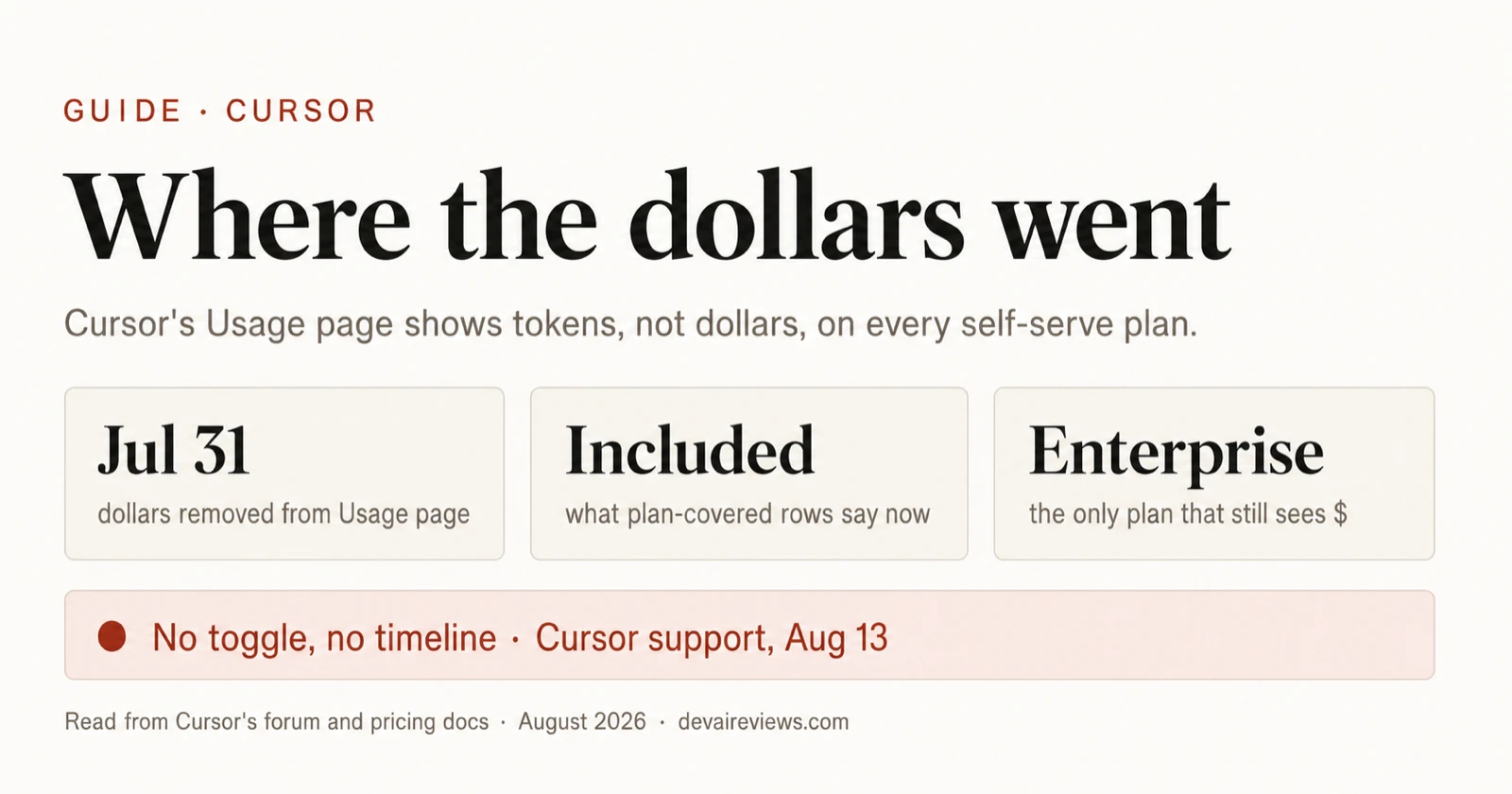
- On July 31, 2026 Cursor removed dollar amounts from the Usage page for every self-serve plan, Teams included, and left them only on Enterprise.
- Dollars still exist, just not where you need them. The Spending page and the CSV export show them for on-demand usage, but nothing on your plan shows a per-model or per-request dollar figure any more.
- You can rebuild a rough number from token counts and Cursor’s published per-model rates — but it falls apart on sessions with subagents.
- There’s no timeline for getting them back. On August 13 a user posted Cursor support’s answer — no timeline, and no option to switch the view — and as of August 27 the Usage page was still tokens-only.
This is a read of the primary sources, not a hands-on test. We read the forum thread where Cursor staff explained the change from the first post to the last (135 posts as of August 27), plus Cursor’s models and pricing docs and Cursor Router docs, both fetched the same day.
What changed on July 31, 2026?
The Usage tab in the Cursor dashboard stopped showing money. Rows covered by your plan now show a token count and the word “Included”; the daily spend graph and the Cost column are gone.
Kevin Neilson, from the Cursor team, put it this way in the thread the day it shipped: “a change shipped today made the Usage page tokens-only for self-serve plans, including Teams. The Spend metric and Cost column were removed, and the Usage CSV no longer contains dollar costs.”
His stated reason: “We did briefly display dollar amounts for individual plans, but that led to some confusion because the dollar amounts displayed were often higher amounts than the user’s plan cost (due to the generous included usage of the Cursor individual plans).” Enterprise keeps the dollars “because of the differences in how enterprise plans are structured (pooled usage) vs. individual plans with included usage.”
There’s a third surface that changed, and it’s the one that hurt teams with their own reporting. A user on a Teams plan reported that https://cursor.com/api/dashboard/get-filtered-usage-events started returning chargedCents: 0 and usageBasedCosts: "$0.00" for every event, including historical ones and including on-demand usage they were actually billed for. Neilson confirmed: “This was an intentional change, not a temporary reporting issue. […] Because this is applied when records are read, historical results are affected, too.” For Teams admins, he added, “the supported Admin API still provides spending data and cost fields for usage events.”
Where can you still see dollars in Cursor?
Not everything went. Here’s what each plan can still see, from the staff posts and the docs.
| Where | Pro / Pro Plus / Ultra | Teams (self-serve) | Enterprise |
|---|---|---|---|
| Usage page | Tokens only; plan-covered rows say “Included” | Tokens only | Dollar amounts |
| Spending page | On-demand spending for the cycle (matches the bill) | Same | Same |
| Usage CSV export | Dollars on on-demand rows; “Included” on the rest | Same | Dollars |
| Per-user totals | n/a | Dashboard > Members > On-Demand (admins) | Yes |
| Cost fields via API | Zeroed | Zeroed on the dashboard endpoint; available through the Admin API | Yes |
| Per-model dollar breakdown | None | None | Yes |
The Spending page number is the one that matters for your invoice. What nobody below Enterprise gets anymore is the answer to “which model is eating my pool”, which is exactly what people used the old page for. One user described refreshing it after each message to compare a Grok 4.5 request (about $0.32) with an Opus 5 request (about $2.56). That comparison is now yours to compute.
How do you convert Cursor token counts into dollars?
The docs publish a per-million-token rate for every model, so token counts times rate gives you the API-rate value of a session.
- Export the CSV from Dashboard > Usage for the date range you care about.
- For each row, take the model name and the token count. If the export splits input, output and cache reads, keep the split; the rates differ by 3x to 50x between columns.
- Multiply by the rates on the models and pricing page. As of August 27 the list price for the models people compare most looks like this, per million tokens:
| Model | Input | Cache read | Output |
|---|---|---|---|
| Composer 2.5 | $0.50 | $0.20 | $2.50 |
| Grok 4.6 / Grok 4.5 | $2 | $0.50 | $6 |
| Claude Sonnet 5 | $2 | $0.20 | $10 |
| Claude Opus 5 | $5 | $0.50 | $25 |
| Claude Fable 5 | $10 | $1 | $50 |
| GPT-5.6 Sol | $4 | $0.40 | $20 |
- Remember which pool each row drains. Composer and Grok come out of the Cursor Models pool; everything else comes out of the Other Models pool. Two rows with the same token count can hit different pools.
Update, August 30, 2026: the pools no longer come with a number. Cursor’s Models & Pricing page used to size the Other Models pool per plan — $20 on Pro, $70 on Pro Plus, $400 on Ultra — and now lists both pools as simply “Included,” describing the higher tiers by Agent limits instead (Pro Plus at “3x Pro limits on Agent,” Ultra at 20x). Prices are unchanged. So the dollar figure this guide told you to reconstruct from tokens is now the only dollar figure available anywhere: there’s no published allowance left to compare it against. 5. On Teams and Enterprise, add the Cursor Token Rate: $0.25 per million tokens on third-party model requests, on top of the API price. Composer and Grok are exempt.
Two caveats before you trust the result. First, a “fast” variant of the same model costs more (Grok 4.6 Fast is $4 in, $12 out), so the model column has to carry the variant. Second, cache-write tokens have their own rate on the Anthropic and OpenAI models, and if your export doesn’t separate them you’ll be off by a little on long sessions.
Why does the estimate break on subagent sessions?
The bigger problem showed up a week after the change. A user running composer-2.5-fast sessions that spawned subagents on Grok 4.5, Claude Opus and GPT-5.6 Sol posted a screenshot of the dashboard contradicting itself. While the subagents ran, they appeared as separate rows with their real models. When the sessions finished, “those rows disappeared. Their usage was rolled into two ‘Included’ rows whose Model column says composer-2.5-fast: 6.5M and 5.1M tokens.”
The chart above the table, grouped by model, still attributed the same total (11.7M by the user’s count; the two rows round to 11.6M) to Grok, Opus, Sol and a small slice of Composer. The table said it was all Composer.
If that holds for your account, the tokens survive but the model attribution doesn’t, and the model is the whole basis of the dollar estimate. You’d price 11.7M tokens at Composer’s $0.50 in / $2.50 out when most of them ran on models costing 4x to 20x more. It also means you can’t tell how much of an Ultra plan’s Other Models pool the subagents consumed. We couldn’t reproduce this ourselves for this piece, so treat it as one documented report, not a rule.
Has Cursor reversed it?
No, and at least one article says otherwise. A post on explainx.ai dated August 2 says Cursor “restored dollar-cost visibility” and cites the forum thread as its source. The thread doesn’t say that anywhere. What it shows after August 2 is more of the same: on August 13 a user pasted the answer from Cursor’s AI support agent (“I don’t have a timeline or roadmap I can share on bringing dollar amounts back to the usage view. Token-based usage is the current standard there, and there’s no option to switch it”), and on August 27 someone was still asking how to audit their usage under the new view.
There’s one community workaround. On August 15 a user posted that they’d built a Chrome extension that reads the CSV and puts dollar figures back on the page. Another user replied that it didn’t work on a Team seat. We haven’t tried it.
Should you still pick Cursor for cost control?
A recurring line in the thread is that people chose Cursor over Codex or Claude Code because it showed them the meter. That advantage is gone on every plan you can buy without talking to sales, and the change landed on the same day the dashboard API stopped returning cost fields, with no changelog entry.
If you need per-model cost on a self-serve plan today, the CSV plus the rate table above is the only route, and it’s unreliable the moment a session spawns subagents. If you’re evaluating whether Cursor Router’s Auto modes save money, note that as of August 27 the docs say all Auto modes bill at the list price of whichever model each request is routed to, so the reconstruction above applies there too. The plan prices themselves haven’t moved; the current figures are in our tracker.
More of our guides on AI developer tools cover this ground. For the wider pattern of vendors metering agent usage and teams putting caps on it, see why companies are capping AI token spend. And if the token counts themselves look high, our measurement of Claude Code’s startup overhead explains why a harness burns tokens before you type anything.
Frequently asked questions
Did Cursor bring back dollar amounts on the usage page?
No. As of August 27, 2026 the Usage page is still tokens-only for Pro, Pro Plus, Ultra and self-serve Teams. On August 13 a user posted Cursor support's answer: no timeline for bringing dollars back and no option to switch. One blog claims the change was reversed on August 2; the forum thread it cites shows no such reversal.
Where can I still see what Cursor is charging me?
Dashboard > Spending shows your on-demand spending for the current cycle, which is the figure that matches your bill. The Usage CSV export keeps a Cost column with dollar amounts for on-demand rows; rows covered by your plan say 'Included'. Teams admins get per-user on-demand totals under Members and cost fields through the Admin API. Enterprise plans still show dollars on the Usage page itself.
Can I convert Cursor token counts into dollars myself?
Roughly, for a single-model session. Multiply the tokens by that model's per-million rate from cursor.com/docs/models-and-pricing, splitting input, output and cache-read if your export separates them. The estimate breaks on sessions that spawn subagents: a forum user showed completed subagent usage rolled up into the parent session's row under the parent model's name, so the tokens are there but the model that consumed them isn't.
Does the Cursor dashboard API still return per-request cost?
Not on self-serve plans. On July 31 the get-filtered-usage-events endpoint started returning chargedCents: 0 and usageBasedCosts: '$0.00' for every event, including historical ones. Cursor staff confirmed on the forum that this is applied when records are read, so past data is affected too, and that the Teams Admin API is the supported route for cost fields.